As we move into 2025, small businesses need reliable and efficient point-of-sale (POS) systems to streamline their operations. With technology advancing rapidly, choosing the right POS software can be a game changer for managing sales, inventory, and customer relationships. This article highlights the top POS software options available for small businesses this year, making it easier for you to find the right fit for your needs.
Key Takeaways
- Look for user-friendly interfaces that simplify daily operations.
- Consider systems that offer built-in inventory and customer management tools.
- Evaluate pricing structures to find cost-effective solutions for your budget.
- Check for compatibility with existing hardware to save on costs.
- Explore customer support options to ensure help is available when needed.
1. Square POS
Square POS is often the first name that comes to mind when small businesses think about point-of-sale systems, and for good reason. It’s known for its ease of use and comprehensive features, making it a solid choice for various business types. It’s especially appealing if you’re just starting out or need a system that can grow with you.
Square’s popularity stems from its all-in-one approach. It combines payment processing, inventory management, and basic CRM into a single platform. This integration simplifies operations and provides a unified view of your business. Plus, Square’s hardware options, like the Square Terminal and Square Register, offer flexibility in setting up your checkout process. Square has a global customer base of 2 million businesses.
Here’s a quick look at some of the things Square does well:
- Payment processing: Accepts various payment methods, including cards, mobile payments, and even Buy Now, Pay Later options.
- Inventory management: Tracks stock levels and sends alerts when you’re running low.
- Reporting and analytics: Provides real-time data on sales, inventory, and customer trends.
Square’s free plan is a major draw for businesses on a tight budget. You only pay processing fees, which can be a great way to get started without a huge upfront investment. However, as your business grows, you might find that you need to upgrade to a paid plan to access more advanced features.
Square’s ability to sync online and in-store sales is another big plus. This omnichannel capability ensures that your inventory and sales data are always up-to-date, regardless of where the sale takes place. This is especially important if you’re running both a brick-and-mortar store and an online shop. Square offers hardware options such as a credit card reader.
2. Clover POS
Clover POS is a popular choice for small businesses looking for an all-in-one solution. It combines hardware and software to create a seamless point-of-sale experience. It’s designed to cater to retail, restaurants, service, and even e-commerce businesses.
Clover offers a range of features, including team management, a wide range of integrations, customer engagement tools, and various payment methods. It’s a solid option if you want a system that can handle most of your business needs without requiring a lot of separate add-ons.
Here’s a quick look at what Clover brings to the table:
- Team management features for scheduling and employee tracking.
- Integrations with tools like Yelp, QuickBooks, and MailChimp.
- Customer engagement features for email campaigns.
- Accepts various payment methods, including mobile wallets.
Clover’s appeal lies in its simplicity and comprehensive feature set. It aims to provide everything a small business needs in one package, reducing the need for multiple vendors and integrations. This can save time and streamline operations.
However, Clover might not be the best fit for everyone. As this page explains, Clover may not be ideal for those requiring highly customized POS software or those who wish to avoid proprietary hardware. Pricing for quick-service restaurants starts at $90/month and goes up to $175/month for full-service plans.
3. Lightspeed POS
Lightspeed POS is a solid choice, especially if you’re in the restaurant or retail game. It’s got the basic POS features down, but it also throws in some extras that can really streamline things.
One of the things that stands out is that Lightspeed caters to both restaurants (via Lightspeed Restaurant) and retail (via Lightspeed Retail). This means you’re not stuck with a one-size-fits-all solution.
- Multi-location inventory tracking
- Purchase order automation and supplier management
- Integrated e-commerce tools
Lightspeed’s pricing starts at $69 per month and can go up to $400 per month, depending on the features you need. The more advanced plans include things like floor plans, Order Anywhere, CRM, loyalty programs, and detailed reporting.
Lightspeed offers some cool features like Order Anywhere, which lets customers pay by scanning a QR code. They also have bill splitting, powered by Lightspeed Payments, which makes it easier for customers to split the bill at the table. Plus, Lightspeed Delivery lets you manage orders from apps like DoorDash and UberEats right in the POS system. This helps keep everything organized. If you are looking for a system that helps with fraud detection, this might be a good option.
4. TouchBistro POS
TouchBistro is an iPad-based POS system tailored for restaurants. It’s designed to be user-friendly, with features that cater specifically to the needs of the food service industry. Let’s take a closer look at what makes it stand out.
Key Features
- Restaurant-Specific Interface: TouchBistro’s interface is designed with restaurants in mind, making it easy for staff to learn and use. It streamlines operations from order taking to payment processing.
- Offline Functionality: One of the biggest advantages is its ability to operate offline. This ensures that your restaurant can continue running smoothly even if the internet goes down, which is a lifesaver during peak hours.
- Tableside Ordering: Servers can take orders directly at the table using iPads, reducing errors and improving the speed of service. This also allows for quicker table turnover and a better customer experience.
- Staff Management: TouchBistro includes tools for managing staff schedules, tracking hours, and controlling access, which helps in optimizing labor costs and improving efficiency.
TouchBistro is a solid choice for independent restaurants looking for a reliable and easy-to-use POS system. Its focus on restaurant-specific features and offline capabilities make it a strong contender in the market. It’s worth considering if you need a system that can handle the fast-paced environment of a restaurant.
Best For
Independent cafes and small restaurants will find TouchBistro particularly useful. It’s designed to handle the specific needs of these types of businesses, offering a range of features that streamline operations and improve efficiency. If you’re looking for a restaurant point-of-sale system, this is a good option.
Drawbacks
One potential drawback is that it has fewer third-party integrations compared to some of its competitors. This might be a limitation if you rely heavily on integrating your POS system with other business tools.
5. Toast POS
Toast POS is tailored specifically for restaurants, making it a strong contender if you’re in the food service industry. It’s designed to handle the unique challenges that restaurants face, from managing menus to processing orders quickly. Let’s take a look at what makes Toast stand out.
- Restaurant-Specific Features: Toast comes packed with features designed for the food industry. This includes menu customization, tableside ordering, and kitchen display systems (KDS). It’s all about streamlining operations in a restaurant environment.
- Spill-Proof Hardware: One of the coolest things about Toast is its durable hardware. The terminals are designed to withstand spills and the general wear and tear of a busy restaurant. This is a huge plus for any restaurant owner.
- Integration with Delivery Services: Toast integrates with third-party delivery services, which is essential in today’s market. Orders from these platforms go directly to your POS system, helping you maximize off-premise sales. This integration simplifies order management and reduces errors.
- Menu Management: Toast’s menu management features are pretty robust. You can update your menu from any terminal or even your smartphone. Plus, the menu countdown feature lets servers know when an item is running low, which helps prevent customer disappointment. If you are looking to expand your e-commerce presence, this is a great option.
Toast offers a range of pricing plans to fit different needs. The Starter Kit is free, but the POS plan is $69 per month, the Essentials plan is $165 per month, and custom pricing is available. This flexibility allows you to choose a plan that aligns with your budget and requirements.
6. Vend POS
Vend POS is another solid choice for small to medium-sized businesses, especially those in retail. It’s known for its inventory management and customer loyalty features. I remember when a friend opened a boutique and was struggling with keeping track of her stock. Vend POS really helped her get organized.
Here’s a quick rundown of what makes Vend POS stand out:
- User-Friendly Interface: Vend is pretty easy to pick up, which is great if you don’t want to spend weeks training your staff.
- Inventory Management: This is where Vend shines. It helps you track stock, manage suppliers, and even create purchase orders.
- Customer Loyalty Programs: You can set up rewards programs to keep customers coming back.
- Reporting and Analytics: Get insights into your sales, inventory, and customer behavior.
One thing to keep in mind is that Vend can get a bit pricey as you add more features and locations. So, it’s worth comparing it to other options to see what fits your budget.
Vend POS provides an easy-to-use interface for businesses, enabling efficient management of their online stores with minimal effort.
7. Shopify POS
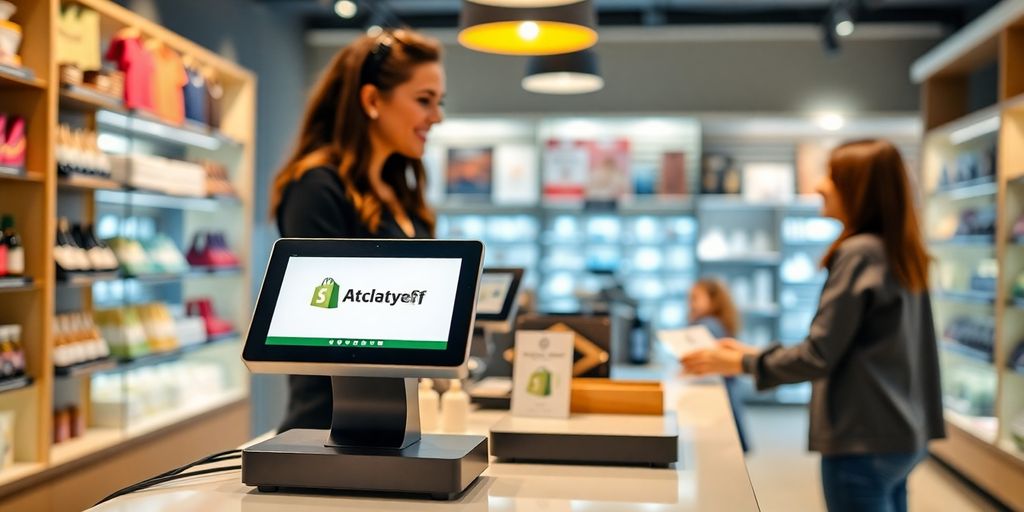
Shopify POS is a solid choice, especially if you’re already using Shopify for your online store. It’s designed to work hand-in-hand with their e-commerce platform, making it a breeze to manage both your online and in-store sales. It’s not the cheapest option out there, but the integration is pretty seamless.
One of the biggest advantages is the omnichannel capabilities. You can easily track inventory across all your sales channels, which is a huge time-saver. Plus, it comes with some decent customer segmentation and marketing tools built right in. It works on iPads and smartphones, so you’re not stuck with clunky hardware. However, if you’re running a restaurant, you might find it lacking some of the specialized features that other POS systems offer.
I remember when I first tried to sync my online and in-store inventory using a different POS system. It was a total nightmare. Data was constantly getting lost, and I spent hours trying to reconcile everything. With Shopify POS, that problem is pretty much gone. It just works, which is a huge relief.
Here’s a quick rundown of what you can expect:
- Seamless omnichannel capabilities
- Advanced inventory and fulfillment management
- Integrated marketing tools and customer segmentation
- Works on iPads and smartphones
For businesses with a strong online presence, Shopify POS is definitely worth considering. It simplifies a lot of the headaches that come with managing multiple sales channels.
8. Revel Systems
Revel Systems is a cloud-based POS solution geared towards restaurants and retail businesses with complex needs. It’s not the cheapest option, but it packs a punch in terms of features and scalability. Think of it as a robust platform designed to grow with your business, offering a wide array of tools to manage everything from inventory to customer relationships.
- Real-Time Inventory Management: Keep track of your stock levels and reduce waste.
- Advanced Reporting: Get detailed insights into your sales, customer behavior, and employee performance.
- Customer Relationship Management (CRM): Build customer loyalty with personalized promotions and rewards programs.
Revel Systems can be a great choice if you’re looking for a system that can handle a high volume of transactions and provide detailed analytics. However, it’s important to consider the cost and complexity before making a decision.
One of the standout features of Revel is its focus on security. They prioritize data encryption and PCI compliance, which is crucial for protecting your business and your customers. The Revel iPad POS system also has an intuitive interface, which simplifies everyday sales operations.
9. PayPal Zettle
PayPal Zettle is a pretty interesting option in the POS world. It’s especially good if you’re already using PayPal for your business, as it integrates really well with their existing services. It’s designed to be simple and easy to use, which is a big plus for small business owners who don’t want to spend a ton of time learning a complicated system. It’s known for its straightforward setup and user-friendly interface.
PayPal Zettle integrates payments, inventory, and basic reporting. It’s not as feature-rich as some of the other POS systems out there, but it covers the essentials for many small businesses. It’s a solid choice if you need something reliable and easy to manage, especially if you’re already comfortable with the PayPal ecosystem.
One of the best things about PayPal Zettle is its transparent pricing. You generally pay a flat fee per transaction, which makes it easy to predict your costs. There aren’t any monthly fees or hidden charges, which can be a real relief for small businesses watching their bottom line.
Here are some of the key features:
- Mobile POS functionality
- Inventory management
- Basic reporting
- Integration with PayPal
If you’re looking for a simple, reliable POS system that integrates well with PayPal, Zettle is definitely worth considering. It might not have all the bells and whistles of some of the more advanced systems, but it gets the job done without a lot of fuss. For businesses looking to manage their online business, this could be a good fit.
10. NCR Silver
NCR Silver is a POS system aimed at both restaurants and retail businesses. It’s designed to be easy to use, but also has some pretty powerful features. NCR Silver is known for its free POS training and onboarding, which can be a big help for businesses just getting started with a new system. Let’s take a closer look.
One of the best things about NCR Silver is its offline support. Even if your internet goes down, you can still take payments. This is a huge deal for keeping things running smoothly. They also offer a handheld POS, which lets you serve customers right at their tables. Plus, you get online and digital ordering, so you don’t need a separate system for online sales. It’s all integrated, which is super convenient.
NCR Silver is a solid choice if you want a system that’s easy to learn and use, but still has the features you need to run your business efficiently. The free training is a nice bonus, and the offline support is a lifesaver.
Here are some of the features that make NCR Silver stand out:
- Offline support
- Handheld POS
- Free POS training
- Online and digital ordering
NCR Silver’s pricing is only available after a consultation with their representative. This means you’ll need to contact them to get a quote tailored to your specific needs. This can be a bit of a hassle, but it also means you can get a price that’s right for your business. It’s worth checking out if you’re looking for a reliable POS system with good support.
11. ShopKeep POS
ShopKeep POS is designed with small to medium-sized businesses in mind, especially in the retail and hospitality sectors. It aims to provide a straightforward, easy-to-use system that covers the essentials without overwhelming users with unnecessary complexity. Let’s take a closer look at what ShopKeep brings to the table.
ShopKeep offers a solid set of features for managing your business. It’s not the flashiest option, but it gets the job done for many smaller operations. It’s worth considering if you value simplicity and ease of use above all else. It’s a good option for businesses that need a reliable POS system.
ShopKeep is a decent option for small businesses that need a simple, easy-to-use POS system. It’s not the most advanced system on the market, but it covers the essentials and is relatively affordable. If you’re looking for a system that’s easy to learn and use, ShopKeep is worth considering.
Here are some of the key features that ShopKeep offers:
- Inventory management: Keep track of your stock levels and get alerts when items are running low.
- Customer management: Store customer information and track their purchase history.
- Reporting: Get insights into your sales, inventory, and customer behavior.
12. Lavu POS
Lavu POS entered the market back in 2010, starting as a simple iOS app. Now, it’s grown into a full-fledged POS solution, covering everything from front-of-house to back-of-house operations. It even handles inventory and labor management. It’s a pretty comprehensive system.
Lavu is best for restaurants already using iPads. It’s designed with restaurants in mind, offering features like inventory tracking, a kitchen display system, and tools to identify your best-selling items. Plus, they have a cash discount program to help reduce those pesky credit card processing fees.
Here are some of the things that Lavu offers:
- Restaurant specificity: It’s built for restaurants, so it has the features you need.
- iPad technology: Use it on devices you already know.
- 1-to-1 onboarding: Lavu’s team will set up the POS and train you.
- 24/7 support: Help is always a phone call away.
Lavu’s pricing starts at $59/month with the Lavu Cash Discount Program. If you go with traditional processing, it’s $69/month, and without Lavu Pay, it’s $79/month. It’s worth checking out their website to see if they have any current deals or promotions. Keeping up with e-commerce marketing trends is important for any business, and Lavu can help streamline your operations.
Here are some additional features:
- Real-time reporting on sales, staff, and stock.
- A wide range of integrations to connect with accounting software.
- 1-on-1 onboarding to reduce setup time.
- User-friendly UX for easy understanding and use.
13. Bindo POS
Bindo POS is another option to consider. I’ve heard some people say it’s pretty good, but let’s take a closer look. It’s designed to be an all-in-one solution, which sounds convenient, right?
- It has a customer loyalty program built in, which is cool for keeping customers coming back.
- It also has inventory management, which is pretty standard these days.
- And it has reporting features, so you can see how your business is doing.
I think the main thing with Bindo is to see if it fits your specific needs. Some people love it, some people don’t. It really depends on what you’re looking for in a POS system. If you’re looking for a point of sale bundle that does a bit of everything, it might be worth checking out.
It’s known for its user-friendly interface.
14. Kounta POS
Kounta POS is a cloud-based system that’s pretty popular, especially in the hospitality industry. It’s known for being flexible and working well for businesses of different sizes. Let’s take a closer look.
- Ease of Use: Kounta is designed to be user-friendly, which means less time training employees and more time focusing on customers. The interface is intuitive, making it easy to navigate even during busy periods.
- Inventory Management: Inventory tracking is a breeze with Kounta. You can easily manage stock levels, track product variations, and set up alerts for low stock. This helps prevent stockouts and ensures you always have what your customers need.
- Reporting and Analytics: Kounta offers a range of reporting tools that provide insights into your business performance. You can track sales, monitor customer behavior, and identify trends to make informed decisions. These sales analytics can be a game-changer for optimizing your operations.
- Integrations: Kounta integrates with a variety of third-party apps, including accounting software, online ordering platforms, and loyalty programs. This allows you to create a seamless ecosystem that streamlines your business processes.
Kounta’s flexibility is a major selling point. It can adapt to different business models and integrate with various tools, making it a solid choice for businesses looking for a customizable POS solution.
Overall, Kounta POS is a solid option if you’re looking for a flexible and user-friendly system. It’s particularly well-suited for businesses in the hospitality industry that need a robust set of features and integrations.
15. QuickBooks POS
QuickBooks POS is a solid option if you’re already using QuickBooks for your accounting needs. It aims to integrate your sales data directly into your financial records, which can save time and reduce errors. It’s designed for retail businesses, offering features to manage inventory, track sales, and handle customer information. The main draw is its seamless integration with QuickBooks accounting software.
Here’s a quick rundown of what it brings to the table:
- Inventory management: Keep track of your stock levels and get alerts when you’re running low.
- Sales tracking: Monitor your sales trends and identify your best-selling products.
- Customer management: Store customer information and track their purchase history.
Using QuickBooks POS can streamline your operations if you’re already invested in the QuickBooks ecosystem. However, it might not be the best fit if you need a more specialized POS system with advanced features.
It’s worth noting that while it integrates well with QuickBooks, it might not have all the bells and whistles of some other POS systems on this list. Think about what features are essential for your business before making a decision. For example, if you want to optimize promotional campaigns, you might need to look elsewhere.
16. Epos Now
Epos Now has been around since 2011, when its founder needed a reliable and affordable POS system for his bar. Finding nothing suitable, he created his own! Now, they help over 30,000 businesses across three continents by using cloud technology to simplify operations and boost profits. It’s pretty cool how a simple need turned into a global solution.
Epos Now caters to various industries, from retail shops like barber shops and grocery stores to hospitality businesses such as restaurants and bakeries. It’s designed to be versatile and adaptable.
Some of the features include:
- Real-time reporting on sales, staff, and stock.
- A wide range of integrations to connect your POS with accounting software.
- One-on-one onboarding to help you set up the system quickly.
- A user-friendly UX that makes the system easy to understand and use.
Currently, Epos Now has an offer where you can get both software and hardware for an upfront cost of $99. For monthly pricing, you’ll need to request a quote from their website. It’s worth checking out if you’re looking for a comprehensive business management solution.
Epos Now is a solid choice for businesses seeking a user-friendly and comprehensive POS system. Its real-time reporting and wide range of integrations make it a strong contender in the market. The one-on-one onboarding is also a nice touch, ensuring you get up and running quickly.
17. Loyverse POS
Loyverse POS is making waves, especially for businesses looking for a free entry point into the world of point-of-sale systems. It’s designed to be user-friendly and accessible, which is a big plus for small businesses.
Loyverse is currently used by over 1,000,000 businesses in over 160 countries. Plus, its apps are available in 30+ languages, which makes it an excellent choice if you operate in multiple regions or have employees who speak languages other than English. Loyverse offers a complete solution that includes POS features, inventory management, sales analytics, employee management, multi-store management, and integrations.
Loyverse’s free POS software, kitchen display, and customer display are all free of cost. You’ll only have to pay for any add-ons, such as $5/month/employee for employee management and $9/month for integrations.
Here are some of the features that make Loyverse stand out:
- A free POS application that works on iPad, iPhone, and Android devices, allowing you to keep working with familiar technology. Loyverse also has a list of supported hardware on their website, which includes credit card machines, printers, barcode scanners, and other hardware that has been tested with Loyverse. Unfortunately, Loyverse doesn’t come with its own hardware.
- Offline mode, which allows you to continue working even when the internet is down. All your data will be synced once you’re connected back to the internet.
- A dark theme to use in a low ambient light environment, which ensures your staff doesn’t experience eye strain.
18. Hike POS
Hike POS is a retail-focused system that aims to provide a comprehensive solution for managing your business. It’s designed to be user-friendly, with a focus on inventory management and customer engagement. I’ve heard it’s particularly good for businesses that need to manage multiple locations, but let’s dig a little deeper.
Hike POS offers a range of features, including inventory tracking, customer loyalty programs, and detailed reporting. It integrates with various e-commerce platforms, which is a big plus if you’re running both a physical store and an online shop. The scalability of Hike POS is also something to consider, as it can grow with your business.
Here’s what I’ve gathered about Hike POS:
- Inventory management is pretty robust, allowing you to track stock levels and set up automated reordering.
- Customer relationship management (CRM) features help you build customer loyalty through targeted promotions and rewards.
- Reporting and analytics provide insights into sales trends and customer behavior.
Hike POS seems like a solid option for retailers who need a system that can handle both in-store and online sales. The inventory management features are particularly strong, and the CRM tools can help you build stronger relationships with your customers. However, it’s important to consider the cost and whether it fits within your budget.
Choosing the right e-commerce business models is crucial for success.
19. Erply POS
Erply POS is a cloud-based system designed for businesses with multiple locations. It aims to give you centralized control over your inventory and sales. I remember when my cousin opened his second store, he was pulling his hair out trying to keep track of everything. A system like this could have saved him a lot of stress!
Here’s what makes Erply stand out:
- Centralized Management: Manage all your stores from one place.
- Inventory Tracking: Keep a close eye on your stock levels.
- Reporting: Get insights into your sales data.
Erply’s focus on multi-store management makes it a strong contender if you’re expanding. It’s all about streamlining operations and making sure you know what’s happening in each location without having to be there physically.
Erply is designed to give you centralized control over your business.
20. GoFrugal POS
GoFrugal POS is another option to consider when you’re looking at point-of-sale systems. It’s designed to help small and medium-sized businesses manage their sales, inventory, and customer data. I’ve heard it’s particularly useful for retailers who need a system that can handle a variety of products and pricing structures. It’s definitely worth a look if you’re trying to streamline your operations.
One thing that stands out about GoFrugal is its focus on affordability. They offer different plans to fit various budgets, which can be a big plus for businesses just starting out or those watching their expenses closely.
Here’s a quick rundown of what GoFrugal POS brings to the table:
- Inventory management: Keep track of your stock levels and avoid running out of popular items.
- Customer loyalty programs: Reward your repeat customers and keep them coming back.
- Reporting and analytics: Get insights into your sales trends and customer behavior.
GoFrugal POS is highlighted as a top offline POS software for small businesses, offering features like billing and inventory management.
21. Sapaad POS
Sapaad POS is tailored for the food and beverage industry, offering a cloud-based solution that aims to streamline operations. It’s designed to be user-friendly, focusing on ease of use for restaurant staff. Let’s take a closer look at what Sapaad brings to the table.
Sapaad’s key features include:
- Order Management: Efficiently handle orders from various channels, including dine-in, takeout, and delivery.
- Inventory Tracking: Keep a close eye on your stock levels to minimize waste and prevent shortages.
- Customer Relationship Management (CRM): Build stronger relationships with your customers through loyalty programs and personalized service.
Sapaad aims to provide a comprehensive solution for restaurants looking to improve efficiency and customer satisfaction. Its cloud-based nature allows for easy access and management from anywhere, making it a flexible option for businesses of all sizes.
Sapaad also offers detailed reporting and analytics, giving you insights into your business performance. This data can be used to make informed decisions about menu planning, staffing, and marketing strategies. For e-commerce businesses, understanding AI-driven pricing strategies is also crucial for competitiveness.
22. Cashier Live
Cashier Live is another POS system that’s been around for a while. It aims to provide a straightforward solution for small businesses, but how does it stack up in 2025? Let’s take a look.
Cashier Live offers a range of features, including inventory management, customer tracking, and reporting. It’s designed to be easy to use, which can be a big plus for businesses that don’t want to spend a lot of time training employees. However, it might not have all the advanced features that some larger businesses need. It’s worth considering if you need a simple, no-frills POS system.
Cashier Live is a solid option for businesses prioritizing ease of use and basic functionality. It’s not the flashiest system, but it gets the job done.
One thing to keep in mind is that Cashier Live’s pricing can vary depending on the features you need. It’s a good idea to get a quote to see how it compares to other systems. Also, be sure to check out POS system reviews to get a better idea of what other users think. Overall, Cashier Live is a decent option, but it’s important to weigh its pros and cons against your specific business needs.
23. POS Nation
POS Nation is a point-of-sale (POS) system designed for retail businesses. It aims to provide a complete solution, encompassing hardware, software, and support. Let’s take a closer look at what POS Nation brings to the table.
POS Nation is a system that’s been around for a while, and they focus on providing a complete package. This means they don’t just sell you the software; they also provide the hardware and ongoing support. For some business owners, this all-in-one approach can be really appealing, especially if they’re not super tech-savvy or just want to simplify the setup process. It’s like getting everything you need in one go, which can save time and effort.
- Hardware Options: POS Nation offers a range of hardware, including touch screen terminals, barcode scanners, receipt printers, and cash drawers. This allows businesses to select the equipment that best fits their specific needs.
- Software Features: The software includes features such as inventory management, customer tracking, sales reporting, and employee management. These features are designed to help businesses streamline their operations and improve efficiency.
- Industry Focus: POS Nation primarily targets retail businesses, including liquor stores, tobacco shops, and convenience stores. They offer industry-specific features and configurations to meet the unique needs of these businesses.
POS Nation is known for its focus on customer support. They provide ongoing technical assistance and training to help businesses get the most out of their POS system. This can be a significant advantage for businesses that need reliable support.
One thing to consider is that POS Nation might not be the cheapest option out there. Because they provide a complete solution, including hardware and support, the upfront costs can be higher than some other POS systems. However, for some businesses, the convenience and support may be worth the investment. If you’re looking for a system that’s easy to set up and comes with reliable support, POS Nation is definitely worth considering. Just make sure to compare the costs and features with other options to find the best fit for your business. Think about how e-commerce strategies can be integrated with your POS system.
24. MyPOS
MyPOS is another contender in the POS space, offering a range of solutions tailored to different business sizes. I think what sets them apart is their focus on providing integrated payment solutions alongside their POS software. It’s like they’re trying to be a one-stop shop for all things payments.
One thing that’s pretty cool about MyPOS is their hardware options. They have a few different payment terminals, including the myPOS Go 2, which is a super affordable standalone device. You don’t even need a smartphone to use it, which is a nice touch for businesses that want to keep things simple.
Here’s a quick rundown of what MyPOS brings to the table:
- Integrated payment processing
- Variety of hardware options
- Cloud-based platform
Choosing the right POS system can feel overwhelming, but it’s important to consider what features are most important for your business. Think about things like inventory management, customer relationship management, and reporting capabilities. Don’t be afraid to try out a few different systems before making a decision.
MyPOS could be a good fit if you’re looking for a POS system that handles both software and payment processing. It’s worth checking out their pricing and features to see if it aligns with your business needs. They are particularly loved by their customers.
25. and more
Okay, so we’ve covered a bunch of the big names in POS systems, but the world of point of sale doesn’t stop there. It’s like saying you’ve listed all the cars when you’ve only mentioned Ford, Chevy, and Toyota. There’s a whole universe of other options out there, each with its own quirks, strengths, and weaknesses. Finding the right fit really depends on your specific business needs.
Here are a few more to consider:
- Retail Pro: A solid choice for larger retail operations with complex inventory needs.
- Oracle MICROS: Popular in the hospitality industry, especially for restaurants and hotels.
- NCR Counterpoint: Another robust option for retail, offering advanced features like customer loyalty programs.
Don’t just jump on the bandwagon and pick the most popular system. Take the time to really think about what you need from a POS. What are your biggest pain points? What features are non-negotiable? Answering these questions will help you narrow down your options and find a system that actually works for you.
And remember to look into affordable POS software and hardware. You don’t need to break the bank to get a system that works for you.
Wrapping It Up
Choosing the right POS system for your small business in 2025 is a big deal. You’ve got to think about what fits your needs, your budget, and how you plan to grow. There are plenty of options out there, each with its own perks and quirks. Whether you want something simple or a bit more advanced, there’s a system that can work for you. Just remember to weigh the features against the costs, and don’t hesitate to try out a few before you commit. With the right POS, you can streamline your operations and focus on what really matters—growing your business.
Frequently Asked Questions
What is a POS system?
A POS system, or Point of Sale system, is a combination of hardware and software that helps businesses process sales and manage transactions.
Why do small businesses need a POS system?
Small businesses use POS systems to simplify payment processing, manage inventory, and keep track of customer data.
What features should I look for in a POS system?
Look for features like easy payment processing, inventory management, customer tracking, and good customer support.
Are there free POS systems available?
Yes, some POS systems offer free plans or trials, but they may have limited features compared to paid versions.
Can a POS system work offline?
Yes, many modern POS systems can operate offline, allowing you to process sales even without an internet connection.
How do I choose the best POS system for my business?
Consider your business size, type, and specific needs. Compare features, pricing, and read user reviews to find the best fit.