Choosing the right POS terminal for small business success is a big deal, especially with all the options out there. A good POS system can make your life easier, help you serve customers better, and even boost your sales. In 2025, understanding what to look for in a POS terminal is crucial for small businesses aiming to thrive in a competitive market. Let’s break down the essentials you need to consider when selecting a POS terminal for your small business.
Key Takeaways
- Identify your business needs before choosing a POS terminal.
- Look for user-friendly systems that simplify operations.
- Consider the type of POS system—traditional, cloud-based, or mobile.
- Watch out for hidden costs in your POS investment.
- Ensure your POS integrates well with other business tools.
Understanding POS Terminals for Small Business
Definition of POS Terminals
Okay, so what are POS terminals, really? It’s more than just a fancy cash register. A POS terminal is the central hub where a customer makes a payment for goods or services at your business. Think of it as the spot where the magic happens – money changes hands (or cards get swiped), and inventory gets updated. It’s the heart of your sales process. These systems have evolved quite a bit, from basic cash drawers to sophisticated setups that handle all sorts of transactions and data.
Importance of POS Terminals
Why should you even care about a POS terminal? Well, for starters, it’s about way more than just taking payments. A good POS system can seriously streamline your operations. It helps you keep track of what’s selling, manage your inventory, and even understand your customers better. Plus, it makes the whole checkout process smoother, which keeps customers happy. Seriously, investing in the right POS software can be a game-changer for your small business. It’s about working smarter, not harder.
How POS Terminals Work
So, how does all this actually work? At its core, a POS terminal does a few key things:
- It processes payments, whether that’s cash, credit cards, or mobile payments.
- It records the sale, updating your inventory in real-time.
- It often integrates with other systems, like accounting software or CRM tools.
The basic process involves scanning items, calculating the total, processing the payment, and generating a receipt. But modern POS systems do so much more, like tracking customer data and running reports. It’s all about making your business run like a well-oiled machine.
Different types of terminals exist, from traditional countertop setups to mobile devices. Choosing the right one depends on your business needs. For example, a bustling restaurant might need a robust system with table management features, while a small boutique could get by with a simpler, tablet-based setup. The key is finding a small business POS that fits your specific requirements.
Key Features to Look For in a POS Terminal
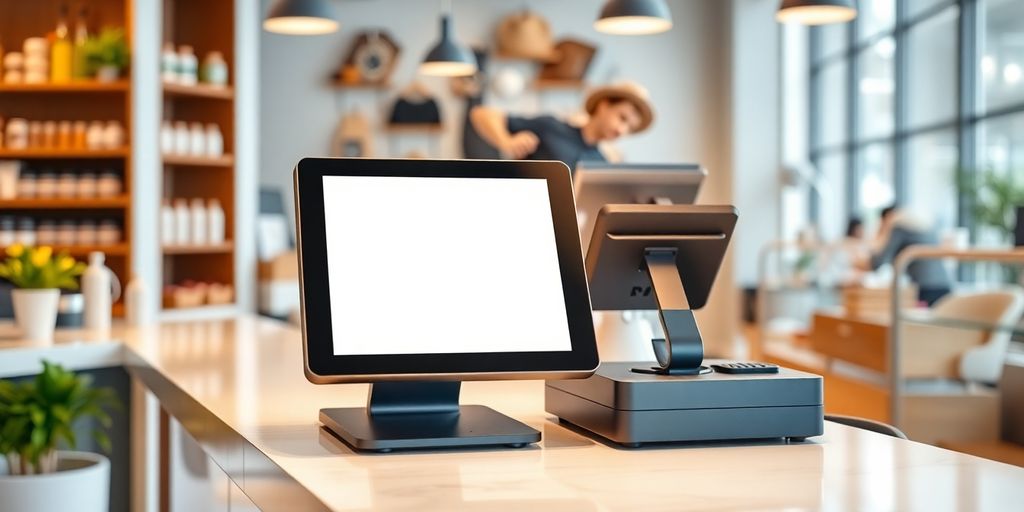
Okay, so you’re thinking about getting a new POS terminal. Smart move! But with so many options, how do you pick the right one? It’s not just about the bells and whistles; it’s about finding a system that actually makes your life easier and helps your business grow. Let’s break down some must-have features.
User-Friendly Interface
Seriously, this is huge. If your staff can’t figure out how to use the POS system, it’s basically useless. You want something intuitive, with clear icons and easy navigation. Think about it: during a rush, you don’t want employees fumbling around trying to find the right button. A clean, simple interface will save time, reduce errors, and keep everyone happy. Tablet-based systems often have a more modern, user-friendly feel than those old-school desktop setups. Make sure you can customize the interface to fit your specific needs, too.
Inventory Management Capabilities
Inventory management is where a good POS system really shines. It’s not just about ringing up sales; it’s about tracking what you have in stock, knowing when to reorder, and preventing theft or loss. Look for these features:
- Real-time tracking: Know exactly what’s on hand at any moment.
- Automated alerts: Get notified when stock is low.
- Reporting: See what’s selling well and what’s not.
- Integration: Connect with your suppliers for easy reordering.
A solid inventory management system can save you a ton of money and prevent those awkward "sorry, we’re out of that" moments with customers. It also helps you make smarter decisions about what to buy and when, based on actual sales data.
Payment Processing Options
In 2025, you need to accept all kinds of payments. That means credit cards, debit cards, mobile payments like Apple Pay and Google Pay, and even cryptocurrency (depending on your customer base). Make sure the POS system you choose can handle all of these, and that it’s secure. Look for secure payment gateways that protect customer data and prevent fraud. Also, consider the processing fees. Some systems have lower fees than others, which can save you a lot of money in the long run. Contactless payment solutions are a must-have these days, so make sure your POS terminal supports them. Oh, and don’t forget about cash! You’ll still need a cash drawer, even if most people are paying with their phones.
Evaluating Different Types of POS Systems
Choosing the right POS system can feel overwhelming. There are so many options, and it’s important to pick one that fits your business needs now and can grow with you. Let’s break down the main types to help you decide.
Traditional POS Systems
Traditional POS systems, also known as on-premise systems, involve software installed directly on your business’s computers and servers. This means you own the software and data outright, giving you a high degree of control. However, this control comes with responsibilities. You’re in charge of all maintenance, updates, and security. This can be a good fit for established businesses that want maximum control and have the IT resources to manage the system. But, it can also mean higher upfront costs and ongoing maintenance expenses. Think of it like owning a car versus leasing one. You have complete freedom, but you’re also responsible for all the repairs.
Cloud-Based POS Solutions
Cloud-based POS systems are gaining popularity, and for good reason. Instead of installing software on your own hardware, you access it over the internet. This means lower upfront costs, automatic updates, and the ability to access your data from anywhere. Cloud-based systems typically operate on a subscription model, so you pay a monthly or annual fee. This can be a great option for small businesses that want a cost-effective and easy-to-manage solution. Plus, many cloud-based systems offer integrations with other business tools, like accounting software and e-commerce platforms. It’s like renting an apartment – less responsibility, but you’re paying a recurring fee.
Mobile POS Systems
Mobile POS (mPOS) systems are changing how businesses operate, especially for those on the go. These systems use smartphones or tablets to process transactions, making them ideal for food trucks, pop-up shops, and service businesses that operate outside of a traditional storefront. mPOS systems are typically very affordable and easy to set up. They often come with features like mobile payment processing, inventory management, and basic reporting. However, they may not be as robust as traditional or cloud-based systems, so they’re best suited for businesses with simpler needs. If you’re running a small operation or need a flexible payment solution, mobile POS could be the way to go.
Choosing the right POS system depends on your specific business needs, budget, and technical capabilities. Consider factors like the size of your business, the complexity of your inventory, and the level of control you need over your data. Don’t be afraid to try out different systems before making a decision.
Here’s a quick comparison table:
| Feature | Traditional POS | Cloud-Based POS | Mobile POS |
|---|---|---|---|
| Upfront Cost | High | Low | Very Low |
| Monthly Fees | Low | Medium | Low |
| Maintenance | High | Low | Low |
| Data Access | On-Premise | Anywhere | Anywhere |
| Best For | Large Retail | Growing Business | Mobile Biz |
Budgeting for Your POS Terminal Investment
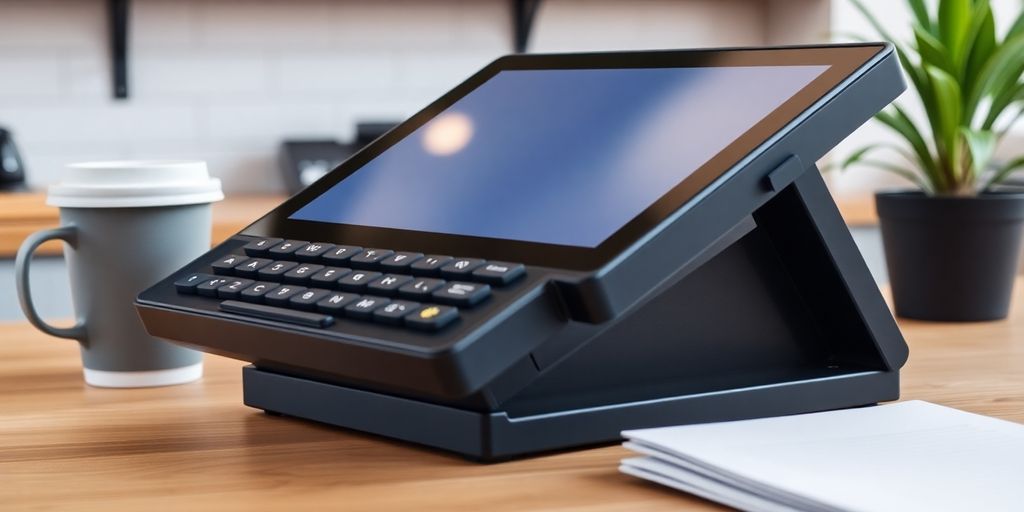
It’s easy to get caught up in all the cool features of a new POS system, but let’s be real: budgeting is where it all starts. You need to figure out what you can actually afford before you even start looking at specific models. Think of it like buying a car – you wouldn’t walk into a dealership without knowing your price range, right? Same deal here. Let’s break down the costs.
Initial Costs and Setup Fees
Okay, so first up, you’ve got the initial investment. This isn’t just the price tag on the terminal itself. Think about all the extras you might need. Are we talking about a full-blown traditional system with a dedicated terminal, barcode scanner, and receipt printer? Or are you leaning towards a tablet-based system that needs stands, cases, and maybe even a mobile printer? These hardware costs can add up quickly. Don’t forget about setup fees either. Some vendors charge for installation, data migration, or even just basic training. Make sure you get a clear picture of all these upfront costs before you commit. Here’s a quick rundown of potential initial costs:
- POS Terminal(s)
- Barcode Scanner
- Receipt Printer
- Cash Drawer
- Software Installation
- Data Migration
Ongoing Subscription Costs
Now, let’s talk about the recurring costs. A lot of modern POS systems operate on a subscription model. This means you’re paying a monthly or annual fee to use the software. This fee usually covers things like software updates, customer support, and sometimes even cloud storage. The good thing about subscriptions is that they can be more predictable than one-time purchases. However, those monthly fees can really add up over time, so it’s important to factor them into your long-term budget. Cloud-based POS solutions offer flexibility and scalability.
Hidden Fees to Watch Out For
Alright, this is where things can get a little tricky. Hidden fees are like those surprise charges on your phone bill – nobody likes them. Some POS vendors might sneak in extra charges for things like transaction fees (on top of what your payment processor charges), support calls, or even accessing certain reports. Always, always read the fine print and ask questions about anything that isn’t crystal clear. Here are some potential hidden fees to keep an eye on:
- Transaction Fees (beyond payment processor fees)
- Support Fees (for phone or on-site support)
- Data Storage Fees (if you exceed your plan’s limits)
- Integration Fees (for connecting to other software)
It’s a good idea to get quotes from multiple vendors and compare them side-by-side. Don’t just focus on the initial price – look at the total cost of ownership over a few years. This will give you a much better sense of which POS system is truly the most affordable for your business. Also, consider what features are essential for your business versus what are just nice-to-haves. You might be able to save money by opting for a more basic plan that still meets your core needs.
Integrating POS Terminals with Other Business Tools
It’s not enough for a POS terminal to just handle transactions these days. To really get the most out of your system, you need it talking to your other business tools. Think of it as the central hub connecting all your operations. This integration can save you time, reduce errors, and give you a much clearer picture of how your business is doing.
Accounting Software Integration
Tired of manually entering sales data into your accounting software? Integrating your POS with programs like QuickBooks or Xero can automate this process. Sales data, refunds, and taxes are automatically synced, giving you real-time financial reporting. This not only saves time but also reduces the risk of errors. Imagine how much easier tax season will be! Plus, you can easily track expenses and manage payroll all in one place. It’s a game changer for financial management.
E-commerce Platform Compatibility
If you’re selling online as well as in a physical store, integrating your POS with your e-commerce platform is a must. This allows for unified inventory management, meaning your stock levels are automatically updated across all channels. No more overselling or stock discrepancies! This integration also provides a more consistent customer experience, whether they’re shopping online or in person. It’s all about creating a seamless shopping journey.
Customer Relationship Management (CRM)
Connecting your POS terminal to a CRM system can really boost your customer service. You can track customer purchase history, preferences, and contact information all in one place. This allows you to personalize interactions, offer targeted promotions, and build stronger customer relationships. Think about being able to greet a regular customer by name and suggest items they might like based on past purchases. That’s the power of CRM integration.
Integrating your POS system with other business tools isn’t just a nice-to-have, it’s a necessity for running a modern, efficient small business. It streamlines operations, improves accuracy, and enhances the customer experience. It’s an investment that pays off in the long run.
Enhancing Customer Experience with POS Terminals
Your POS system isn’t just about ringing up sales; it’s a powerful tool for making customers happy and keeping them coming back. Think of it as your front-line defense in the battle for customer loyalty. A clunky, slow, or confusing checkout experience can send customers running to your competitors, while a smooth, personalized one can turn them into lifelong fans.
Loyalty Programs and Promotions
POS systems make it super easy to run loyalty programs. Forget punch cards and complicated spreadsheets! You can track customer purchases, award points, and offer personalized discounts automatically.
Here’s how it works:
- Customers sign up for your loyalty program (usually with an email or phone number).
- The POS system tracks their purchases.
- Points are automatically awarded based on spending.
- Customers can redeem points for rewards, like discounts or free items.
By using your POS to manage loyalty programs, you can gather valuable data about customer preferences and spending habits. This data can then be used to create even more targeted and effective promotions.
Speeding Up Checkout Processes
Nobody likes waiting in line. A slow checkout process is a major source of frustration for customers. POS systems can dramatically speed things up by:
- Using barcode scanners to quickly ring up items.
- Integrating with various payment methods, including contactless payments.
- Offering self-checkout options (if appropriate for your business).
Mobile POS systems are also a great way to reduce wait times, especially during busy periods. Employees can use tablets or smartphones to ring up customers anywhere in the store, bypassing the traditional checkout counter.
Personalized Customer Interactions
Modern POS systems can store a wealth of information about your customers, including their purchase history, contact information, and even their preferences. This data can be used to create more personalized interactions. For example:
- Employees can greet customers by name when they come to the counter.
- The POS system can suggest relevant products based on past purchases.
- You can send targeted email promotions based on customer interests.
By personalizing the customer experience, you can make customers feel valued and appreciated, which can lead to increased loyalty and repeat business. It’s all about making them feel like they’re more than just a number. Think of it as building relationships, one transaction at a time.
Future Trends in POS Technology for Small Businesses
Contactless Payment Solutions
Contactless payments are becoming the norm, and POS systems are adapting fast. Expect to see even more sophisticated NFC (Near Field Communication) tech integrated. This isn’t just about speed; it’s about customer preference. People like the convenience of tapping their phones or cards. POS systems will need to handle a wider range of digital wallets and payment apps. It’s all about making the payment process as smooth as possible. This also includes things like QR code payments, which are gaining traction in some areas. The goal is to reduce friction at checkout and improve customer experience.
AI and Machine Learning Integration
AI is no longer a futuristic concept; it’s here, and it’s changing how POS systems work. Machine learning algorithms can analyze sales data to predict trends, optimize inventory, and even personalize offers for customers. Imagine a POS system that automatically adjusts pricing based on demand or suggests upselling opportunities based on a customer’s past purchases. AI can also help with fraud detection, identifying suspicious transactions in real-time. This means less risk and more efficiency for small businesses. It’s about using data to make smarter decisions and automate tasks that used to take up valuable time.
Data Analytics and Reporting
Data is king, and POS systems are becoming powerful tools for collecting and analyzing it. Expect to see more advanced reporting features that provide insights into everything from sales trends to customer behavior. This data can be used to make informed decisions about inventory management, marketing campaigns, and staffing levels. The key is to make this data accessible and easy to understand, even for small business owners who aren’t data scientists. Think interactive dashboards, customizable reports, and real-time analytics. A good POS system should provide the tools for data analysis you need to understand your business better and make smarter decisions.
The future of POS is all about integration, automation, and personalization. Small businesses that embrace these trends will be well-positioned to succeed in an increasingly competitive market.
Here’s a quick look at how data analytics might be used:
- Sales Tracking: Monitor daily, weekly, and monthly sales to identify trends.
- Inventory Optimization: Track product performance to minimize waste and maximize profits.
- Customer Segmentation: Understand customer demographics and buying habits to tailor marketing efforts.
Wrapping It Up
In the end, picking the right POS system for your small business is a big deal. It’s not just about processing payments; it’s about making your life easier and helping your business grow. Think about what you really need, like budget, ease of use, and the specific features that fit your industry. Take your time to compare options and don’t hesitate to ask for help if you need it. The right choice can save you headaches down the road and set you up for success in 2025 and beyond.
Frequently Asked Questions
What is a POS terminal?
A POS terminal is a device that helps businesses take payments from customers. It can be a computer, tablet, or a special machine that processes sales.
Why do small businesses need a POS system?
Small businesses need a POS system to make sales easier, keep track of inventory, and understand how much money they are making.
How much does a POS system cost?
The cost of a POS system can vary. Some charge a monthly fee, while others may have a one-time payment. It’s important to check for any extra charges.
Can a POS system help with managing stock?
Yes, a good POS system can help track what items are in stock and alert you when it’s time to reorder.
Is it easy to use a POS system?
Most modern POS systems are designed to be user-friendly. They usually have simple screens and instructions to help you get started.
Can a POS system be used in different types of businesses?
Absolutely! POS systems can be used in various settings like retail stores, restaurants, and even online shops.