So, you’ve got more than one online store going. That’s great! It means things are growing, which is exactly what you want. But running several sites, especially if they’re on different systems, can get messy fast. You might be wondering if there’s a better way to manage it all without pulling your hair out. This guide is all about making that happen. We’ll look at how to handle multiple online shops without the usual headaches, focusing on making your ecommerce multi store setup work for you.
Key Takeaways
- Managing multiple online stores can lead to growing pains, making current processes difficult to scale.
- Choosing the right ecommerce platform and automating key operations are vital for building a solid foundation for growth.
- Integrating your tech stack allows different business tools to communicate, preventing data silos and improving efficiency.
- Strategies like conversion optimization, marketing automation, and building customer loyalty are important for increasing sales across your ecommerce multi store.
- Expanding globally requires adapting your business model, forming partnerships, and supporting multiple currencies and languages.
Understanding the Need for an Ecommerce Multi Store Solution
So, you started with one online store. It did okay. Then you thought, ‘Hey, maybe a second store, targeting a slightly different crowd, would be smart.’ And then a third, perhaps for a different product line. Suddenly, you’re juggling multiple online shops, and things are getting… complicated. It’s like trying to keep track of a dozen different phone numbers in your head – eventually, one’s going to slip. That’s the reality when your business outgrows its single-store setup.
The Growing Pains of Managing Multiple Online Stores
When you’re running just one store, the tools and processes you use probably feel pretty straightforward. Maybe you’ve got your favorite platform, a marketing tool you like, and a system for inventory. It works. But add another store, and then another, and suddenly those same tools start to feel like they’re made of rubber bands and duct tape. They stretch, they bend, but they’re not really built for this kind of load. You find yourself doing the same tasks over and over for each store – updating product descriptions, managing orders, running marketing campaigns. It’s not just time-consuming; it’s a recipe for mistakes. One wrong click in one store can have ripple effects you didn’t anticipate.
Why Current Processes Struggle with Expansion
Think about it: the software and workflows that were fine for a single shop often weren’t designed with multiple, distinct brands or customer bases in mind. You might end up with separate logins for every single tool you use – one for email marketing for store A, another for store B, a different one for social media scheduling, and yet another for inventory management across all of them. This fragmentation means your data gets siloed. You can’t easily see how customers interact with your different brands or products as a whole. Trying to get a clear picture of your overall business performance becomes a real headache, often requiring manual data exports and a lot of spreadsheet wrangling. It’s like trying to assemble a puzzle with pieces from different boxes – nothing quite fits right.
The core issue is that your existing systems, built for a simpler time, are now acting as bottlenecks. They prevent you from seeing the bigger picture and make it incredibly difficult to coordinate efforts across your growing portfolio of online businesses. This isn’t just inconvenient; it directly impacts your ability to grow efficiently and profitably.
The Quest for a Unified Management Dashboard
What you really need is a way to bring it all together. Imagine logging into just one place and seeing everything: sales data from all your stores, customer information, inventory levels, and marketing campaign performance. This is the dream of a unified management dashboard. It’s about simplifying complexity, reducing the chances of error, and gaining a clear, actionable overview of your entire ecommerce empire. This isn’t just about convenience; it’s about having the control and insight needed to make smart decisions, identify new opportunities, and truly scale your business without getting bogged down in the day-to-day chaos of managing separate systems. It’s the foundation for smarter, faster growth.
Building Your Technology Foundation for Scale

When you’re looking to grow your online store beyond just a few sales here and there, the tech you use becomes super important. It’s not just about having a website; it’s about building a system that can handle more orders, keep your team working smoothly, and grow with you. Let’s talk about what goes into making that solid tech base.
Choosing the Right Ecommerce Platform for Multi-Store Management
The platform you pick is basically the brain of your whole operation. It needs to be able to handle more people visiting your site and more orders coming in without slowing down. You also want it to be flexible, so you can change things up as your business needs shift. Think about platforms like Shopify or WooCommerce, but really dig into whether they can do what you need them to do long-term. Picking the wrong one now could really hold you back later.
Automating Key Operations for Efficiency
Manual tasks are time sinks. Seriously, think about all the time you spend doing the same things over and over. We need to find ways to make those things happen automatically. This could be anything from processing orders and updating inventory to sending out basic customer service emails or setting up marketing campaigns. Tools like chatbots can answer common questions, and automated emails can keep customers in the loop. This frees up your team to focus on bigger picture stuff, like planning new products or marketing strategies.
Here are some common areas ripe for automation:
- Order processing and fulfillment
- Inventory tracking and reordering
- Customer service inquiries
- Email marketing sequences
Integrating Your Tech Stack for Seamless Data Flow
As your business gets bigger, you’ll probably add more software – a CRM, an email marketing tool, maybe a separate inventory system. The trick is getting them all to talk to each other. Your customer data should flow from your store to your email platform so you can send targeted messages. Your inventory system needs to update your online store in real-time to stop you from selling things you don’t have. When your tools work together, information moves automatically, and your whole business runs much more smoothly.
Building a strong tech foundation isn’t just about buying software; it’s about creating a connected system that supports your growth. It takes planning, but the payoff is a business that runs better and can handle whatever comes next.
Exploring Top Ecommerce Multi Store Platform Options
So, you’ve got more than one online shop humming along. That’s fantastic! But managing them all can start to feel like juggling flaming torches, especially when you’re looking at different platforms or just trying to keep track of everything from one place. The good news is, there are solutions out there designed to make this whole process way less chaotic.
Consolidating Your Tech Stack with a Single Login
One of the biggest headaches when running multiple stores is the sheer number of logins and separate systems you end up dealing with. It’s like having a dozen different keys for a dozen different doors. You might find yourself using separate marketing automation tools for each store, which means logging in and out constantly. This isn’t just annoying; it eats up valuable time and can lead to mistakes. The goal is to find a platform that lets you manage all your stores from one central dashboard. This single point of access simplifies things immensely, saving your team from the daily grind of switching between accounts.
Managing Multiple Brands Under a Central Hub
When you have different brands or even just different product lines, keeping them organized is key. A good multi-store platform acts like a central hub. It allows you to manage all your brands and their associated data in one place. Think of it like having a command center where you can see everything that’s happening across all your stores. This makes it much easier to oversee operations, track inventory, and ensure brand consistency.
Leveraging Data for Segmentation and Cross-Promotion
This is where things get really interesting. When all your store data is in one place, you can start to see the bigger picture. You can segment your customers based on their behavior across all your stores, not just one. This means you can run much more targeted marketing campaigns. For example, if a customer bought a specific item from Store A, you can use that data to offer them a related product from Store B. This kind of cross-promotion can significantly boost sales and customer engagement. It turns your separate stores into a connected ecosystem, working together to drive revenue.
Here’s a quick look at how different approaches stack up:
| Approach | Pros | Cons |
|---|---|---|
| Separate Accounts | Simple setup for each store | Multiple logins, siloed data, difficult cross-promotion |
| Agency Dashboard (Toggle Only) | Single login, some cost savings | Data still separate, requires manual data merging |
| Unified Platform (Cross-Platform) | Combines data, works across platforms | May have limitations if all stores are on the same platform |
| Unified Platform (Same Platform) | Combines data, works for same platform | Less common, but offers best of both worlds for platform consistency |
The real magic happens when your technology stack stops being a collection of separate tools and starts acting like a unified system. This integration is what allows you to see your customers holistically and make smarter decisions about how to reach them across all your brands.
Maximizing Sales and Customer Engagement
Okay, so you’ve got your multi-store setup humming along. Now what? It’s time to really dig into making more sales and keeping those customers happy. This isn’t just about getting more people to click ‘buy’; it’s about building relationships that last. When customers feel seen and valued, they tend to stick around and even tell their friends. That’s the sweet spot.
Strategies for Increasing Conversions and Reducing Cart Abandonment
Let’s be real, seeing abandoned carts is a bummer. It feels like lost money. But there are ways to fix this. First off, make it super easy for people to buy. Think guest checkout – not everyone wants to create an account right away. Offering free shipping, even if you have to build it into the price a bit, is a huge motivator. People love that. Also, those exit-intent popups? They can be really effective if you use them right, maybe offering a small discount or a chance to sign up for a newsletter before they leave.
- Guest Checkout: Removes a barrier for impulse buyers.
- Free Shipping Thresholds: Encourages adding more items to the cart.
- Exit-Intent Popups: A last chance to save a sale or capture an email.
- Live Chat: Answers questions instantly, clearing up doubts that might stop a purchase.
- Mobile Optimization: Over half of online shopping happens on phones, so it has to work well there.
Don’t forget about the follow-up. Sending reminder emails for abandoned carts can bring back a surprising number of sales. It’s like a gentle nudge saying, ‘Hey, you forgot something!’
Implementing Effective Marketing Automation for Multi-Store Success
Marketing automation is your best friend when you’re juggling multiple stores. It’s about setting up systems that do the work for you. Think welcome emails for new subscribers, personalized product recommendations based on past purchases, and birthday discounts. These little touches make a big difference. For multi-store operations, you can segment your lists based on which store a customer shopped at or what they bought. This means you’re sending them stuff they’re actually interested in, not just generic blasts.
- Welcome Series: Introduce new customers to your brand and products.
- Abandoned Cart Recovery: Automated emails to remind shoppers and offer incentives.
- Post-Purchase Follow-ups: Thank customers, ask for reviews, and suggest related items.
- Personalized Recommendations: Use purchase history to suggest what they might like next.
Building Customer Loyalty Through Unified Experiences
Loyalty isn’t just about points; it’s about making customers feel good about choosing you, again and again. With multiple stores, you want that experience to feel consistent, no matter where they shop. This means having clear return policies across all your sites, consistent branding, and customer service that knows what’s going on, even if the customer shopped on a different store of yours last time. A good loyalty program can really help here. It could be simple points for purchases, early access to new products, or exclusive member-only sales. The goal is to make your customers feel like they’re part of something special.
- Consistent Branding: Ensure your look, feel, and tone are the same everywhere.
- Unified Customer Service: Train your support team to handle inquiries across all your stores.
- Loyalty Programs: Reward repeat business with tangible benefits.
- Personalized Communication: Use data to tailor messages and offers.
- Community Building: Create spaces (like social media groups) where customers can connect with each other and your brand.
Scaling Your Ecommerce Multi Store Operations Globally
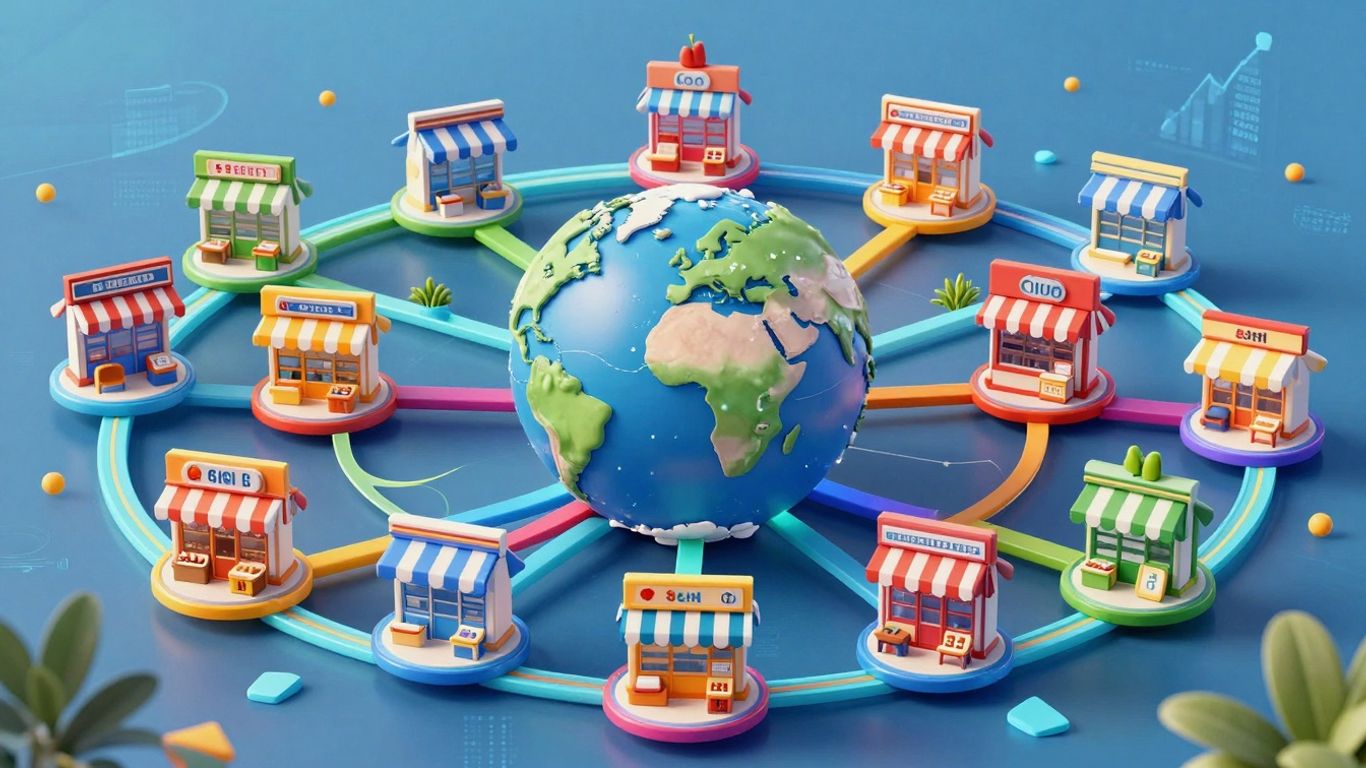
So, you’ve got a handle on running multiple stores, and things are going well. That’s awesome! But what happens when you start thinking bigger? Like, way bigger? We’re talking about taking your business beyond your home turf and into new countries. It sounds exciting, and it totally can be, but it also brings a whole new set of challenges. It’s not just about translating your website; it’s about understanding entirely new markets and how people shop there.
Expanding to New Markets and Adapting Your Business Model
Jumping into a new country isn’t like just adding another store in the next town over. You really need to look at what makes that market tick. What are people buying? How much do they expect to pay? Are there local holidays or trends that affect shopping? Understanding these local nuances is key to not just surviving, but thriving. You might need to tweak your product offerings, maybe even create special bundles that make sense for that region. Think about pricing too – what works in one country might be way too high or too low in another. It’s about making your business fit the place, not forcing the place to fit your business.
Here are some things to consider when picking a new market:
- Market Size and Potential: Is there enough demand for what you sell?
- Competition: Who else is selling similar things, and how are they doing it?
- Logistics: How will you get products there? What are the shipping costs and times?
- Regulations: Are there specific laws or taxes you need to be aware of?
Leveraging Strategic Partnerships for International Growth
Trying to figure out a new country all by yourself can be tough. That’s where local partners come in. Think of them as your guides. They already know the lay of the land, have connections, and understand the culture. Partnering with a local distributor, for example, can get your products into local stores or warehouses much faster than you could on your own. Or maybe you team up with a local marketing agency that knows how to reach customers in that specific country. These partnerships can save you a lot of headaches and speed up your growth significantly. It’s like having a cheat code for entering a new market.
Implementing Multi-Currency and Multi-Language Support
This one might seem obvious, but it’s super important. If you’re selling to people in Germany, they want to see prices in Euros (€) and read your website in German. Trying to make them convert prices or understand English when they’re comfortable in their own language is a barrier. Most good multi-store platforms can handle this. You can set up different currencies for different regions and offer your site in multiple languages. This makes shopping feel natural and trustworthy for international customers. It shows you’ve put in the effort to make them feel welcome, which goes a long way in building loyalty and getting those sales.
When you expand globally, think about the entire customer journey from their perspective. What would make them feel comfortable buying from a foreign company? It’s usually about familiarity and ease. If you can provide that, you’re already ahead of the game. Don’t just translate words; translate the experience.
Optimizing Performance and Monitoring Your Ecommerce Multi Store
Essential Magento Extensions for Growth and Management
When you’re running multiple stores, keeping everything running smoothly can feel like juggling. You need tools that help, not hinder. For Magento users, there are specific extensions that really make a difference. Think about extensions that help with bulk product updates or managing different pricing rules across your stores. These aren’t just nice-to-haves; they become pretty important when you’re trying to scale. The right extensions can save you hours of manual work and prevent costly mistakes. For instance, a good inventory management extension is key to avoiding overselling or stockouts across all your locations. It helps keep your stock levels accurate, which is a big deal when you’re dealing with more than one storefront. You can find extensions that help with everything from SEO to customer service, so it’s worth looking into what’s available to make your life easier.
SEO and Traffic Strategies for Multi-Channel Selling
Getting people to your stores is one thing, but getting the right people is another. With multiple stores, you’ve got more chances to rank in search results, but you also need a solid plan. For example, you might want to use specific Magento blog extensions to create content that targets different customer segments for each store. This helps attract organic traffic that’s actually interested in what you’re selling. It’s also smart to look at Google Shopping Ads; they’re great for catching shoppers who are already looking to buy.
Here are a few ideas to get more eyes on your stores:
- Targeted Content Creation: Develop blog posts and articles that speak directly to the audience of each individual store.
- Local SEO: If your stores have physical components or serve specific regions, optimize for local search terms.
- Paid Advertising: Use platforms like Google Ads and social media ads, but segment your campaigns for each store’s unique offerings.
- Link Building: Focus on acquiring backlinks from relevant websites that can drive qualified traffic to your various storefronts.
Utilizing Dashboards and Monitoring Frameworks for Informed Decisions
Okay, so you’ve got your stores running, your extensions are in place, and you’re driving traffic. Now what? You need to know if it’s all actually working. This is where dashboards and monitoring come in. Most ecommerce platforms offer some basic analytics, but for multi-store setups, you’ll want something more robust. Tools like Google Analytics are super helpful for digging into how people are using your sites.
Keeping an eye on key performance indicators (KPIs) across all your stores is not optional. It’s how you spot problems before they get big and find opportunities you might otherwise miss. Regularly reviewing these metrics helps you understand what’s working and what’s not, allowing you to adjust your strategies accordingly.
Think about tracking things like:
- Sales Volume: How much are you selling across all stores?
- Conversion Rates: How many visitors are actually buying something?
- Average Order Value (AOV): How much are customers spending per order?
- Cart Abandonment Rate: How many people add items to their cart but don’t complete the purchase?
- Traffic Sources: Where are your visitors coming from?
By keeping a close watch on these numbers, you can make smarter choices about where to invest your time and money. It’s all about making sure your multi-store operation is not just running, but running well. For help with scaling your Shopify store, consider working with ECORN experts who can guide you through growth.
Wrapping It Up: Your Multi-Store Journey Ahead
So, you’ve made it through the guide. Running more than one online store can feel like juggling a lot of balls, especially when you’re trying to keep everything straight. We talked about why you might need multiple stores and how the right tools can make a huge difference. Remember, the goal isn’t just to have more stores, but to manage them smarter. By picking the right platform and automating where you can, you free up time to actually grow your business. It’s about making things work for you, not the other way around. Keep experimenting, keep learning, and don’t be afraid to adjust your approach as you go. Your multi-store adventure is just getting started.
Frequently Asked Questions
Why do I need a multi-store eCommerce setup?
When your online store starts doing really well, you might want to sell different kinds of products or create separate brands. Managing each one as a separate store can get messy. A multi-store setup lets you handle all your online shops from one place, making things much simpler and more organized as you grow.
What’s the best way to choose an eCommerce platform for multiple stores?
Look for a platform that can grow with you. It should be easy to use, let you customize things, and connect with other tools you use. Think about how many stores you plan to have and if the platform can handle them all without slowing down. Popular choices like Shopify and WooCommerce have features for managing more than one store.
How can I make managing multiple stores easier?
Automation is key! You can set up your system to handle tasks like sending emails, processing orders, and managing inventory automatically. This saves you tons of time. Also, make sure all your different tools, like your website, email service, and inventory tracker, can talk to each other smoothly.
How do I get more sales with multiple stores?
You can use the customer information from all your stores to understand what people like. Then, you can show them products they might be interested in from your other stores. Offering deals, making checkout easy, and providing good customer service can also help keep shoppers happy and buying.
Is it hard to sell in other countries with multiple stores?
It can be a bit tricky, but totally doable! You’ll need to figure out how to handle different money types (like Euros or Yen) and languages. Partnering with local businesses in those countries can also help you understand the market better and reach more customers.
How do I know if my multi-store setup is working well?
You need to keep an eye on how things are going. Use tools that show you important numbers, like how many people visit your sites, what they buy, and if they finish their purchases. This helps you see what’s working and what needs to be improved, so you can make smarter decisions.