If you’re new to BigCommerce, getting the hang of the control panel might feel a bit daunting at first. But don’t worry, it’s not as tricky as it seems. This guide is here to help you get comfortable with the BigCommerce control panel, so you can manage your online store like a pro. From setting up your shop to keeping an eye on sales, we’ve got you covered. Let’s dive in and make the most of what BigCommerce has to offer.
Key Takeaways
- Get familiar with the BigCommerce dashboard to streamline your operations.
- Learn how to add and organize products effectively in your store.
- Understand payment and shipping settings to ensure smooth transactions.
- Use BigCommerce analytics to track your store’s performance and customer behavior.
- Explore security features to protect your store and customer data.
Navigating the BigCommerce Control Panel
Accessing the Dashboard
Getting started with BigCommerce begins with accessing your dashboard. Log in to your account, and you’ll land on the control panel. This area is your command center, where you can manage everything about your online store. It’s like the cockpit of a plane, filled with all the controls you need to fly your business to new heights. From here, you can check your orders, manage products, and even tweak your store’s design. It’s all right at your fingertips.
Understanding the Main Menu
The main menu on the left side of your dashboard is your best friend. It’s got everything you need to run your store, from products and orders to customers and analytics. Each section is straightforward, making it easy to find what you’re looking for. For instance, clicking on "Products" lets you add new items or edit existing ones. Want to see how your sales are going? Just head over to the "Analytics" section. It’s all about making your life easier.
Customizing Your Workspace
Your workspace in BigCommerce is customizable, which means you can set it up to suit your style. If you find yourself using certain tools more often, you can rearrange your dashboard to have those tools front and center. This way, you don’t waste time hunting for what you need. Plus, you can adjust settings like notification preferences, so you’re always in the loop about what’s happening in your store. It’s all about creating a space that works for you.
Setting Up Your Online Store
Adding Products and Categories
Starting your online store with BigCommerce is straightforward. First, head to the dashboard and click on "Products." From there, select "Add" to start listing your items. You’ll need to fill in details like the product name, SKU, and type—whether it’s physical or digital. Don’t forget to set your default price and categorize your products to make them easier for customers to find. Creating categories is simple and can be done right here in the same section.
Configuring Payment Options
Setting up payment options is crucial for smooth transactions. BigCommerce offers multiple payment gateways, so you can choose the one that best suits your business needs. Go to the "Store Setup" section and select "Payments." Here, you can enable options like credit card payments, PayPal, and even digital wallets. Ensure your choices align with your target audience’s preferences to avoid abandoned carts.
Establishing Shipping Methods
Shipping is another key element of your online store. To configure it, navigate to the "Store Setup" and select "Shipping." You can choose from various shipping methods, including free shipping, flat rate, or by weight. BigCommerce allows you to tailor shipping options to different zones, making it flexible for both local and international orders. Remember to test these settings to ensure everything runs smoothly once you launch your store.
Optimizing Store Performance with BigCommerce Analytics
Tracking Sales and Revenue
When it comes to running an online store, keeping an eye on your sales and revenue is a must. BigCommerce makes this easy with its built-in analytics tools. These tools give you a clear picture of how your store is doing by tracking key metrics like total sales, average order value, and conversion rates. You can see how your sales are trending over time, which products are flying off the shelves, and which ones are collecting dust. With this data, you can make smart decisions to boost your revenue.
Pro Tip: Regularly reviewing your sales data can help you spot trends and make adjustments to your marketing strategies or inventory levels. It’s like having a roadmap to guide your business decisions.
Analyzing Customer Behavior
Understanding what makes your customers tick is crucial for any business. BigCommerce analytics gives you insights into customer behavior, showing you how visitors are interacting with your store. You can see which pages they’re visiting, how long they stay, and what they’re clicking on. This info is gold for figuring out what’s working and what needs improvement. For example, if you notice a lot of people are abandoning their carts, it might be time to streamline your checkout process or offer some enticing discounts.
Utilizing Marketing Insights
Marketing is all about reaching the right people at the right time. With BigCommerce analytics, you can get a handle on where your traffic is coming from and how effective your marketing efforts are. The platform offers comprehensive reports that break down your traffic sources, whether it’s from social media, search engines, or email campaigns. By understanding these insights, you can tweak your marketing strategy to focus on the channels that are bringing in the most customers.
Incorporating other tools like Google Analytics 4 can further enhance your understanding of customer acquisition and retention, providing a more rounded view of your store’s performance. This combination of tools ensures you’re not just guessing but making informed decisions to grow your business.
Enhancing Security and Compliance
Implementing SSL Certificates
Getting an SSL certificate for your BigCommerce store is like having a digital lock on your storefront. It ensures all transactions and data exchanges are encrypted, which keeps your customer’s info safe. SSL certificates aren’t just about security; they build trust with your customers. When people see that little padlock icon next to your URL, they feel more comfortable shopping with you. To set it up, you’ll need to purchase an SSL certificate through a provider and configure it in your BigCommerce control panel.
Understanding PCI Compliance
PCI compliance is all about keeping credit card data secure. If you’re handling payments, you need to follow the Payment Card Industry Data Security Standard (PCI DSS). This includes maintaining a secure network, protecting cardholder data, and regularly monitoring your systems. BigCommerce helps you meet these standards by offering built-in security features, but it’s up to you to ensure your store is compliant. Regular audits and security checks can help you stay on top of this.
Utilizing Fraud Detection Tools
Fraud detection tools are a must-have for any online store. With these tools, you can identify suspicious activities and prevent fraudulent transactions before they happen. BigCommerce provides several built-in options, but you can also integrate third-party solutions for enhanced protection. Some key features to look for include address verification, IP tracking, and transaction monitoring. By using these tools, you can minimize chargebacks and protect your revenue.
Keeping your store secure is not just about protecting data; it’s about maintaining the trust and confidence of your customers. By ensuring your BigCommerce store is secure and compliant, you create a safe shopping environment that encourages repeat business.
For more on how trade discounts can affect your sales and profitability, check out our detailed article on the topic.
Leveraging BigCommerce Features for Growth

Exploring SEO Tools
SEO is a big deal for online stores. BigCommerce has some neat built-in tools that help your store show up better in search results. You can tweak things like meta tags and product descriptions right in the dashboard. This helps bring in more organic traffic, which is basically free advertising. Plus, the analytics feature gives you insights into how your pages are doing. It’s all about getting more eyes on your products.
Integrating Third-Party Apps
BigCommerce allows you to connect with tons of third-party apps to boost your store’s functionality. Whether it’s adding a live chat feature, integrating with a CRM, or setting up an email marketing campaign, there’s likely an app for it. And with fewer limits on API calls compared to other platforms, you can customize your store without hitting any annoying roadblocks. This flexibility lets you tailor your store to better meet your customers’ needs.
Utilizing Mobile Optimization
Mobile shopping is huge, and BigCommerce makes sure your store looks great on any device. They were one of the first to integrate Google’s AMP, which means faster loading times for your mobile pages. This not only enhances the shopping experience but also helps with SEO. If your store isn’t mobile-friendly, you’re potentially missing out on a lot of sales. BigCommerce’s mobile optimization tools make sure your store is ready for shoppers on-the-go.
Pro Tip: Keep an eye on the latest BigCommerce features for 2023 to stay ahead of the game. These updates can help you track top-performing products and improve customer retention, opening new doors for growth.
Managing Inventory Efficiently
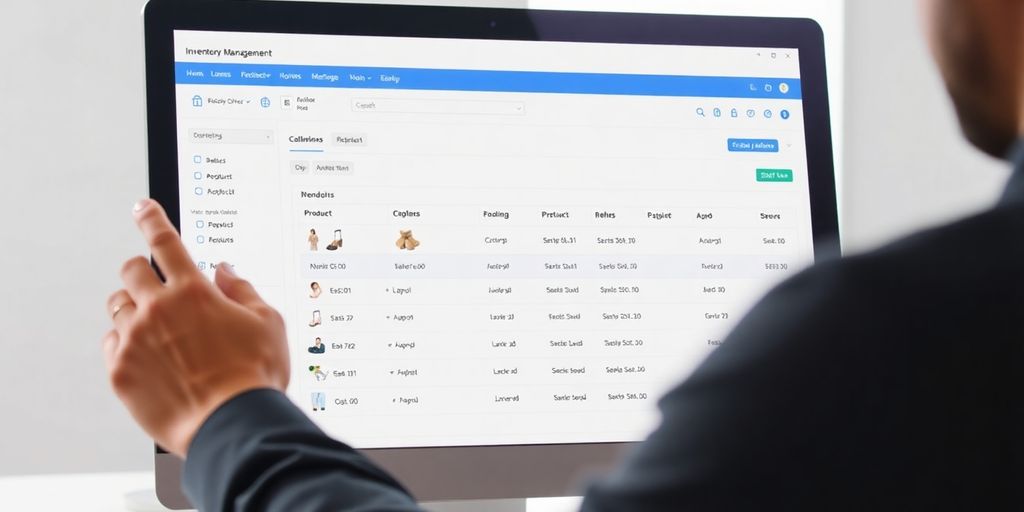
Effectively managing inventory is crucial for any online store’s success. Let’s dive into the key aspects of inventory management using BigCommerce.
Setting Up Inventory Tracking
Getting started with inventory tracking in BigCommerce is straightforward. Begin by navigating to the "Products" section on your dashboard. Here, you can add new products and input essential details such as SKU, product type, and stock levels. Accurate inventory tracking ensures you know exactly what you have in stock at all times, preventing overstocking or stockouts.
Utilizing Advanced Inventory Features
BigCommerce offers advanced inventory features that can significantly enhance your management capabilities. For instance, you can set up low-stock notifications to alert you when it’s time to reorder. Additionally, you can display stock levels to customers, creating a sense of urgency and encouraging purchases. Advanced features like these help streamline operations and improve customer satisfaction.
Optimizing Stock Levels
Optimizing stock levels is about balancing supply and demand. Implementing demand forecasting can help predict future sales trends and adjust stock levels accordingly. This method reduces excess inventory and ensures you have just enough stock to meet customer demand. Consider using the 80/20 rule to identify the 20% of products that generate 80% of sales, allowing you to focus on stocking these high-demand items.
Efficient inventory management is not just about keeping track of products; it’s about making informed decisions that can boost your bottom line. Mastering inventory management is essential for maximizing customer satisfaction and profits, involving techniques such as tracking, predictive analytics, and process mapping. Mastering inventory management is essential for maximizing customer satisfaction and profits, involving techniques such as tracking, predictive analytics, and process mapping.
By setting up inventory tracking, utilizing advanced features, and optimizing stock levels, you can ensure your BigCommerce store runs smoothly and efficiently.
Utilizing Customer Support and Resources
Accessing Community Forums
Engaging with community forums is a fantastic way to connect with other BigCommerce users who might have faced similar challenges. These forums are rich with discussions, tips, and solutions shared by both new and experienced users. It’s like having a support group at your fingertips. You can ask questions, share your experiences, and learn from others’ insights. The sense of community can be incredibly supportive when you’re navigating the complexities of setting up and managing your store.
Utilizing Help Center Resources
The BigCommerce Help Center is a treasure trove of information. It’s packed with articles, guides, and FAQs that cover a wide range of topics. Whether you’re setting up payment options or need help with SEO tools, the Help Center is designed to provide clear and concise answers. If you ever feel stuck, diving into these resources can be a quick way to find the help you need. The keyword here is ‘comprehensive,’ as it covers almost every aspect of the platform.
Participating in Webinars
BigCommerce regularly hosts webinars that are a great way to learn directly from experts. These sessions cover everything from basic setup to advanced strategies for boosting sales. Participating in webinars can be a game-changer, offering you the chance to ask questions in real-time and get answers from the pros. Plus, it’s a convenient way to stay updated on new features and best practices.
Don’t underestimate the power of community and readily available resources. They can provide the support you need to grow your business efficiently.
For more methods to access support for your BigCommerce store, check out our comprehensive guide on finding help easily.
Wrapping It Up
So there you have it, folks. We’ve covered a lot about the BigCommerce control panel, from setting up your first product to managing inventory and everything in between. It’s a lot to take in, but once you get the hang of it, you’ll see how it all fits together. Remember, every expert was once a beginner. So, don’t stress if it feels overwhelming at first. Take it step by step, and soon enough, you’ll be navigating the platform like a pro. And hey, if you ever get stuck, there’s always a community of users and tons of resources out there to help you out. Happy selling!
Frequently Asked Questions
What is BigCommerce and how does it help my online store?
BigCommerce is an online platform that makes creating and managing an online store easier. It provides tools for website building, inventory management, and payment processing, helping you sell products online efficiently.
How do I add products to my BigCommerce store?
To add products, go to your dashboard, click on ‘Products,’ and then ‘Add.’ Fill in the product details like name, price, and category, and save your changes.
Can I customize the look of my BigCommerce store?
Yes, BigCommerce offers customizable templates that allow you to design your store to match your brand’s style. You can change colors, fonts, and layouts easily.
What payment options can I use with BigCommerce?
BigCommerce supports various payment gateways like PayPal, Stripe, and credit cards, so you can choose the one that best fits your needs.
How does BigCommerce help with shipping?
BigCommerce allows you to set up shipping options, including flat rates and real-time shipping quotes. You can manage shipping zones and methods directly from your control panel.
Is BigCommerce secure for online transactions?
Yes, BigCommerce is secure and complies with PCI standards. It offers SSL certificates and fraud detection tools to keep your transactions safe.