Hey there! So, you’re trying to get a handle on all the different words and phrases people use in the online selling world, right? It can feel like a whole new language sometimes. This guide is here to help clear things up. We’ll go over the main stuff you need to know about e-commerce terminology so you can feel more confident about what you’re doing, whether you’re just starting out or have been selling online for a while. Let’s break it down.
Key Takeaways
- Understanding basic e-commerce terminology is like learning the alphabet for online selling; you can’t really get anywhere without it.
- Knowing terms related to search engines (like SEO) helps people find your online store when they’re looking for products.
- Keeping an eye on your website’s data and using analytics helps you see what’s working and what’s not, so you can make better decisions.
- Different ways of selling online, like B2C, have their own specific terms and strategies you should be aware of.
- Terms related to how products are managed (like SKUs) and how they get to customers (supply chain) are important for keeping things running smoothly.
Understanding Core E-commerce Terminology
Defining Key E-commerce Concepts
So, you’re diving into the world of online selling, huh? It can feel like learning a new language sometimes, with all the acronyms and specific terms flying around. But honestly, getting a handle on these basics is pretty important if you want things to run smoothly. It’s not just about sounding smart; it’s about making sure you and your team are on the same page.
Think about it: you’ve got products, you want to sell them online, and people need to be able to find them and buy them without a hitch. That’s the core idea, right? But how you get there involves a bunch of different pieces.
Here are some of the main ideas you’ll bump into:
- E-commerce (Electronic Commerce): This is the big one. It just means buying and selling things using the internet. Simple as that. It covers everything from a huge online store like Amazon to a small artist selling prints on their own website.
- Online Store/E-shop: This is the actual website or platform where the selling happens. It’s your digital storefront.
- Customer: The person who buys something from your online store. Pretty straightforward.
- Product Catalog: This is basically a list of all the items you have for sale, usually with descriptions, prices, and pictures.
- Shopping Cart: The digital equivalent of a physical shopping cart. Customers add items they want to buy here before they check out.
- Checkout Process: This is the series of steps a customer goes through to pay for the items in their cart and finalize their order.
Understanding these basic terms helps build a solid foundation. It’s like learning the alphabet before you can write a book. Without this clarity, trying to discuss strategy or troubleshoot issues can get confusing really fast.
Navigating the Digital Marketplace
The internet isn’t just one giant store. It’s more like a huge, bustling marketplace with different sections and ways of doing things. Knowing your way around this digital space makes a big difference in how you approach selling online.
When we talk about the digital marketplace, we’re really talking about the different environments where e-commerce happens and how businesses interact within them. It’s not just about having a website; it’s about understanding where your customers are and how they shop.
Here are a few ways to think about it:
- Business-to-Consumer (B2C): This is what most people think of first. It’s when a business sells directly to an individual person. Think of buying clothes online or ordering food delivery through an app. The focus here is often on making the buying experience easy and appealing to individuals.
- Business-to-Business (B2B): This is when one business sells products or services to another business. For example, a company that makes office furniture selling desks and chairs to other companies for their employees. These transactions can be more complex and involve larger orders.
- Marketplaces: These are platforms that host many different sellers. Think of eBay, Etsy, or even Amazon’s third-party seller section. They bring buyers and sellers together but aren’t owned by a single retailer. You’re essentially renting space in a bigger digital mall.
- Social Commerce: This is selling products directly through social media platforms like Instagram or Facebook. It’s about making it super easy for people to buy without even leaving the app they’re already using.
Essential E-commerce Glossary
Let’s get down to some specific terms you’ll hear a lot. Knowing these will help you understand discussions about your online business and make better decisions.
- API (Application Programming Interface): Think of this as a messenger that lets different software applications talk to each other. For example, your online store might use an API to connect with a shipping company’s system to get tracking information automatically.
- Conversion Rate: This is a key number. It’s the percentage of visitors to your website who actually complete a desired action, like making a purchase. If 100 people visit your site and 2 buy something, your conversion rate is 2%.
- SKU (Stock Keeping Unit): This is a unique code assigned to each specific product you sell. It helps you track inventory. For instance, a red t-shirt in size medium might have an SKU like
TS-RED-M-001. - SSL Certificate (Secure Sockets Layer): This is what makes your website secure. You’ll see
https://and a padlock icon in the browser bar. It encrypts data, like credit card numbers, so it’s safe for customers to share their information with you. - Zero-Click Search: This happens when someone searches for something on Google, and the answer appears right on the search results page, so they don’t even need to click on a website. For example, if you search for a quick fact, Google might just give you the answer directly.
Getting familiar with these terms is a good start. It’s like having a map for the digital world of selling.
Mastering Search Engine Optimization for E-commerce
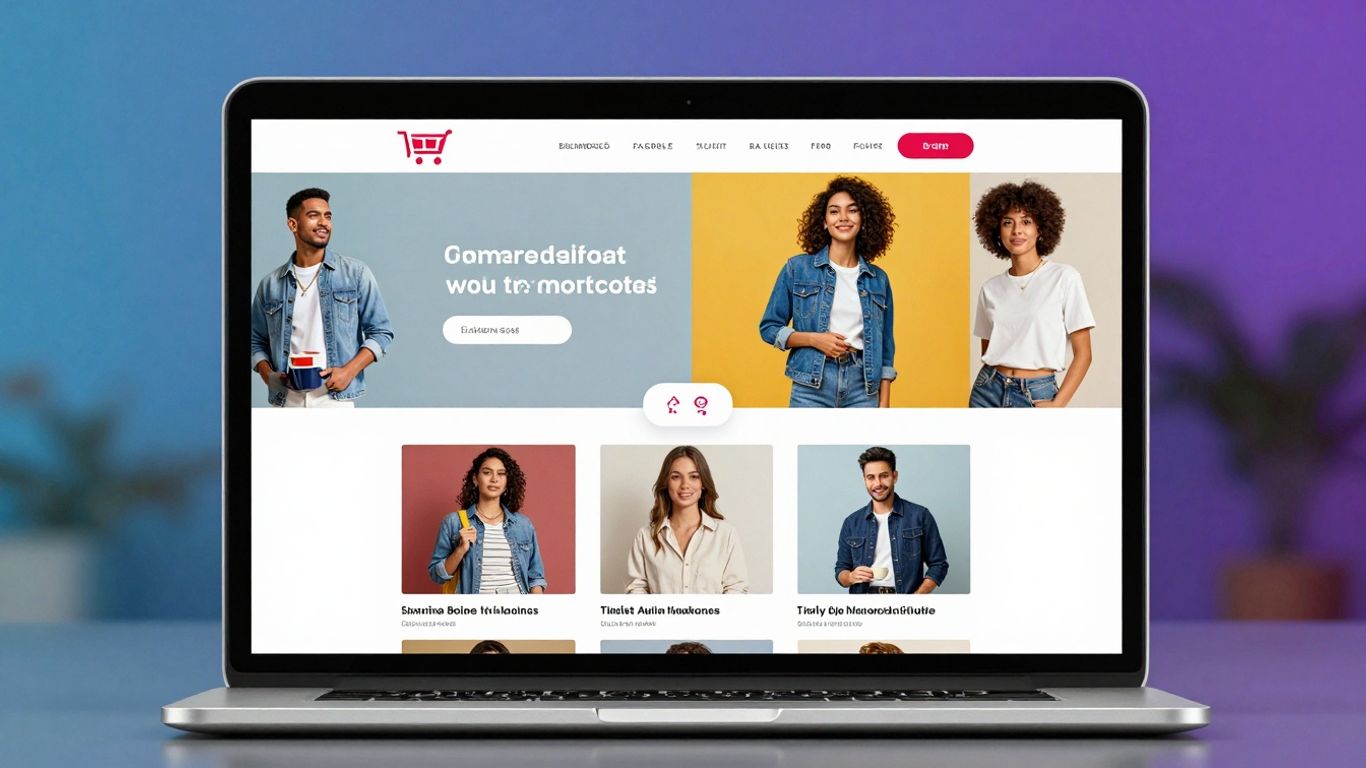
Getting your online store seen by the right people is a big deal. Search Engine Optimization, or SEO, is how we make that happen. It’s not just about stuffing keywords everywhere; it’s about making your site work well for both search engines and, more importantly, for actual shoppers. Think of it as making your digital storefront as inviting and easy to find as a well-placed shop on a busy street.
The Foundation of E-commerce SEO
Before you even think about fancy tactics, you need to make sure your website is solid. This means it needs to load fast – seriously, if your site takes more than a few seconds to pop up, people will leave. Google also really likes sites that work well on phones, so mobile-friendliness is a must. Your website’s address structure (URLs) should be clear and make sense, like yourstore.com/blue-running-shoes instead of something confusing. Also, make sure your site is secure (HTTPS) and that search engines can actually read all your pages. Getting these basics right is the bedrock of any good e-commerce SEO strategy.
Keyword Research for Buyer Intent
This is where you figure out what words and phrases people actually type into Google when they want to buy something. Forget broad terms like "shoes." You want to find phrases that show someone is ready to buy, like "best waterproof hiking boots size 10" or "organic cotton baby onesies." These are called buyer-intent keywords. Using tools can help you find these gems. The goal is to weave these terms naturally into your product titles, descriptions, and other content. It’s about speaking the language of your potential customers.
Technical Optimization for Search Visibility
This part is all about the behind-the-scenes stuff that helps search engines understand and rank your site. Things like structured data, or schema markup, help search engines show specific info like prices or star ratings right in the search results, which can grab attention. A well-organized site structure makes it easy for both people and search bots to find their way around. If you have products that are very similar, using canonical tags stops search engines from getting confused by duplicate content. These technical details might seem small, but they add up to make a big difference in how visible your store is.
Here are some common mistakes to watch out for:
- Forgetting unique meta titles and descriptions for each product.
- Not optimizing images with descriptive file names and alt text.
- Ignoring customer reviews, which add fresh content and build trust.
- Not linking related products or blog posts together within your site.
SEO isn’t just about pleasing algorithms; it’s about making your online store clear, helpful, and easy to use for everyone. When you focus on the user, search engines tend to follow.
Measuring your progress is also key. Keep an eye on things like how much traffic you get from search engines, how many visitors actually buy something (conversion rate), and if people are leaving your site quickly (bounce rate). This data helps you see what’s working and what needs tweaking. The world of search is always changing, with things like AI and visual search becoming more important, so staying adaptable is important for long-term success.
Leveraging Data and Analytics in E-commerce
So, you’ve got a store up and running, products listed, and maybe even a few sales trickling in. That’s great! But how do you actually know what’s working and what’s not? This is where data and analytics come into play. Think of it like having a map and a compass for your online business. Without them, you’re just guessing where to go.
Understanding Zero-Party Data
This is the stuff customers willingly share with you. It’s not something you have to dig for or guess at. We’re talking about preferences they tell you directly, like when they fill out a survey about what kind of products they like, or when they set their notification preferences in your app. It’s super direct and really helpful because it tells you exactly what they want.
- Preference Centers: Customers choose what emails they want to receive.
- Surveys & Quizzes: Asking directly about interests or needs.
- Interactive Content: Polls or configurators where users input choices.
Zero-party data is gold because it’s given freely and with intent. It allows for incredibly precise personalization without feeling creepy.
Analyzing Customer Behavior
This is where you look at what people do on your site. How long do they stay? What pages do they visit? Do they add things to their cart and then leave? Tools like Google Analytics are your best friend here. You can see where your traffic is coming from – maybe a social media ad is bringing in tons of visitors, but they aren’t buying anything. Or perhaps organic search brings fewer people, but they convert really well. Understanding these patterns helps you figure out where to put your energy and money.
Here’s a quick look at some key things to watch:
| Metric | What it Tells You |
|---|---|
| Traffic Sources | Where your visitors are coming from. |
| Bounce Rate | How many people leave after viewing just one page. |
| Conversion Rate | Percentage of visitors who complete a desired action (like buying). |
| Average Order Value (AOV) | The average amount spent per order. |
Utilizing Analytics for Growth
Once you’ve got the data, what do you do with it? That’s the million-dollar question, right? You use it to make smarter decisions. If you see that a certain product page has a really high bounce rate, maybe the description isn’t clear, or the images aren’t great. You can then tweak it and see if the bounce rate goes down. Or, if you notice that customers who buy product A often also buy product B, you can start recommending product B on product A’s page. It’s all about making small, informed changes that add up over time. The goal is to constantly learn and adapt based on what the numbers are telling you.
E-commerce Transaction Models and Strategies
So, you’re selling stuff online. Great! But how exactly are you doing it? It’s not just one big online shop; there are different ways businesses connect with customers and make sales. Understanding these models is key to figuring out what works best for your online store.
Business-to-Consumer (B2C) Dynamics
This is probably what most people think of when they hear "e-commerce." It’s when a business sells directly to you, the individual shopper. Think of buying clothes from an online boutique or ordering a book from a big online retailer. The focus here is on making the shopping experience smooth and appealing. Specialists in B2C often look at things like:
- How to make product pages grab attention.
- What makes someone click "buy" instead of leaving the site.
- Creating a feeling that makes customers want to come back.
The main goal is to make buying easy and enjoyable for the customer.
Exploring Different E-commerce Ecosystems
Beyond B2C, there are other ways businesses interact online. For example, Business-to-Business (B2B) involves companies selling to other companies. Imagine a supplier selling office furniture in bulk to a new startup. These transactions often involve larger orders, different payment terms, and a more formal sales process. Then there’s also the affiliate model, where individuals or other websites promote your products for a commission on sales. Each of these ecosystems has its own set of rules and strategies.
Here’s a quick look at some common models:
| Model Type | Description | Example |
|---|---|---|
| B2C | Business sells directly to individual consumers. | An online clothing store selling a t-shirt to a person. |
| B2B | Business sells products or services to other businesses. | A software company selling CRM tools to a marketing agency. |
| Affiliate | Partners promote products and earn a commission on sales generated. | A blogger linking to a product and getting paid when someone buys it. |
| D2C | Direct-to-Consumer brands selling their own products without middlemen. | A mattress company selling directly from its website to customers. |
Optimizing Conversion Rates
No matter the model, a big part of e-commerce success is getting people to actually buy. This is where conversion rate optimization (CRO) comes in. It’s all about making small changes to your website or marketing to encourage more visitors to complete a desired action, usually making a purchase. This could mean simplifying the checkout process, improving product descriptions, or offering better shipping options. Even a small increase in your conversion rate can lead to a significant boost in sales over time.
Sometimes, the simplest changes have the biggest impact. Think about how annoying it is when a website asks for too much information or takes forever to load. Fixing those little annoyances can make a huge difference in whether someone buys from you or goes somewhere else. It’s about removing any friction that stops a sale from happening.
Essential E-commerce Technical Terms
Alright, let’s talk about some of the techy stuff that makes online stores tick. You don’t need to be a coder to get the gist, but knowing these terms can really help when you’re troubleshooting or just trying to understand what’s going on behind the scenes.
Understanding API and Server Errors
Think of an API (Application Programming Interface) as a messenger. It lets different software programs talk to each other. For example, when you check a shipping carrier’s website to see where your package is, an API is likely involved, pulling that info from the carrier’s system to show on the store’s site. It’s super useful for connecting services.
Now, errors. You’ve probably seen them. When things go wrong with these connections or the website itself, you get error codes. Two common ones you might hear about are:
- 429 Error (Too Many Requests): This pops up when a system gets overwhelmed with too many requests coming in too fast. It’s like a bouncer at a club saying, "Whoa, too many people trying to get in at once!" For an e-commerce site, this could mean a sudden surge of visitors is temporarily overloading the server.
- 500 Error (Internal Server Error): This is a more general "oops" from the server. It means something went wrong on the website’s end, but it’s not specific about what. It could be anything from a glitch in the code to a problem with the hosting.
These errors, while frustrating, are usually temporary. They’re the system’s way of saying it needs a moment to sort itself out. For businesses, monitoring these can help identify performance issues before they impact too many customers.
Secure Sockets Layer (SSL) Certificates
This one’s all about security. An SSL certificate is like a digital ID for your website. It encrypts the information sent between your browser and the website’s server, making it unreadable to anyone trying to snoop. You’ll usually see this indicated by a padlock icon in your browser’s address bar and the website address starting with https:// instead of http://.
Why does it matter for e-commerce? Because customers are sharing sensitive data – credit card numbers, addresses, you name it. An SSL certificate builds trust and shows customers that their information is protected. Without it, your site looks untrustworthy, and sensitive data could be exposed.
Stock Keeping Units (SKUs)
An SKU is basically a unique code assigned to each specific product variation you sell. It’s not just for the product itself, but for its specific attributes. For instance, if you sell T-shirts:
- A red, medium-sized T-shirt might have SKU
TS-RED-MED-001. - A blue, large-sized T-shirt would have a different SKU, like
TS-BLU-LRG-002.
These codes are super important for inventory management. They help businesses track exactly how many of each specific item they have, where it is, and how well it’s selling. It makes reordering, stocktaking, and understanding product performance much, much easier. It’s the backbone of keeping your shelves (virtual or real) stocked correctly.
Customer Experience and Support Terminology
Personalization Through AI
In today’s online shopping world, making customers feel special is a big deal. Artificial intelligence, or AI, is changing how businesses talk to shoppers. Instead of a one-size-fits-all approach, AI helps tailor what you see and buy. Think about when a website remembers your size or suggests items similar to what you’ve liked before. That’s AI at work, making your shopping trip feel more personal. It looks at your past behavior, like what you clicked on or bought, to guess what you might want next. This can mean better product recommendations or even customized emails. The goal is to make every customer feel like the store knows them.
Zero-Click Search Strategies
Have you ever searched for something on Google and found the answer right there on the search results page, without even clicking a link? That’s called a zero-click search. For online stores, this means getting your information out there so clearly that people don’t need to visit your site to get the basic answer. It’s a bit of a trade-off. You might get fewer clicks, but your brand gets seen by more people. It’s about being helpful right from the start. Think about quick facts, definitions, or simple how-to guides that search engines can pull directly.
The Role of Sales Consultants
Even with all the tech, sometimes you just need a person to talk to. Sales consultants, whether online or in a physical store, are there to help you figure things out. They can explain product features, compare options, and guide you toward the best choice for your needs. While AI can handle a lot of the basic questions, human consultants are still super important for more complex purchases or when you need a bit more reassurance. They bring a human touch that technology can’t quite replicate yet. It’s about building trust and making sure you’re happy with your purchase.
Here’s a quick look at how these elements work together:
- AI Personalization: Suggests products based on past browsing and purchase history.
- Zero-Click Search: Provides quick answers directly on search engine results pages.
- Sales Consultants: Offer human support for complex queries and personalized advice.
Building a good customer experience means using the right tools at the right time. It’s about making shopping easy, helpful, and maybe even a little bit fun for everyone involved.
Supply Chain and Pricing in E-commerce
Getting products from point A to point B, and figuring out what to charge for them, are two big parts of running an online store. It’s not just about having a cool website; it’s about making sure customers actually get what they ordered, and that you’re making money doing it.
Navigating the Supply Chain Network
The supply chain is basically the whole journey a product takes, from the raw materials to when it lands on your customer’s doorstep. Think of it as a big, interconnected system. For an e-commerce business, this means managing relationships with suppliers, figuring out how to store inventory, and then getting those items shipped out efficiently. A well-oiled supply chain is key to happy customers and a healthy business. It involves several moving parts:
- Order Management: Keeping track of every order that comes in.
- Inventory Management: Knowing exactly what you have and where it is.
- Warehouse Management: Organizing your storage space effectively.
- Transportation Management: Choosing the best shipping methods and carriers.
- Supplier Relations: Working closely with those who provide your goods.
Getting this right means fewer mistakes, faster deliveries, and customers who keep coming back. It’s about making sure the supply chain execution runs smoothly from start to finish.
Implementing Zone Pricing
Zone pricing is a strategy where you set different prices for the same product based on geographic location. This might sound complicated, but it can be really useful. For example, shipping costs can vary a lot depending on how far away the customer is. So, you might adjust your prices slightly to account for these differences, making sure your profit margins stay consistent. It helps manage the costs associated with reaching customers in different areas.
Subscription Box Models
Subscription boxes have become super popular. The idea is simple: customers pay a recurring fee, usually monthly, to receive a curated selection of products. Think about beauty boxes, snack boxes, or even pet toy boxes. This model offers a predictable revenue stream for businesses and a convenient, often exciting, way for customers to discover new items. It’s a great way to build customer loyalty and create a consistent income, turning one-time buyers into long-term fans.
Wrapping It Up
So, we’ve gone through a bunch of terms that are pretty important if you’re doing anything online with selling stuff. It’s not just about knowing fancy words, though. It’s about making sure your online shop actually works well for people and that they can find it. Think about things like making your website load fast, or using the right words so Google shows your products to the right shoppers. It’s a lot to keep track of, for sure, but getting these basics down is a big step. The online selling world changes fast, so keep an eye out for new stuff and keep learning. That’s how you’ll keep your business moving forward.
Frequently Asked Questions
What is e-commerce?
E-commerce, or electronic commerce, is just a fancy way of saying buying and selling things online. Think of it like shopping at a regular store, but instead of walking around, you’re clicking on a website or app.
Why is understanding e-commerce terms important?
Knowing e-commerce terms is like having a secret map for online shopping. It helps you understand how websites work, what makes them easy or hard to use, and how businesses try to get you to buy their stuff. It’s important for businesses to know these terms so they can do a better job online.
What does SEO mean for online stores?
SEO stands for Search Engine Optimization. For online stores, it means making your website show up higher in search results when people look for products like yours. It’s like making your store the most popular one on the block so more people find it.
What is customer data, and why do companies collect it?
Customer data is information about shoppers, like what they like to buy or what they look at online. Companies collect it to understand what customers want, so they can show them better products and make their shopping experience more enjoyable.
What’s the difference between B2C and other e-commerce types?
B2C stands for Business-to-Consumer. It’s when a company sells directly to you, like when you buy a video game online. Other types include B2B (business to business) and C2C (consumer to consumer), like on a marketplace.
What is a SKU, and why do stores use them?
SKU stands for Stock Keeping Unit. It’s like a unique code for each specific item a store sells, like a red t-shirt in size large. SKUs help stores keep track of their inventory so they know what they have and what they need to order.