In today’s digital marketplace, making your Shopify store stand out on Google is a game-changer. Without solid SEO, your store might as well be invisible to potential customers. But don’t stress—boosting your store’s SEO is easier than you might think. By zeroing in on a few key strategies, you can improve your store’s visibility, draw in more customers, and ultimately boost your sales. Let’s dive into some simple strategies to help you master Google SEO for your Shopify store in 2025.
Key Takeaways
- A clear site structure is vital for Shopify SEO. Organize your products into easy-to-navigate categories.
- Short, descriptive URLs with relevant keywords can significantly improve SEO.
- Fast loading times and a mobile-friendly design are crucial for keeping users engaged and improving SEO.
- Using long-tail keywords can attract more targeted traffic to your store.
- Regularly track your SEO performance with tools like Google Analytics to understand what’s working and what needs tweaking.
Optimizing Your Shopify Store for Google SEO
Understanding the Importance of Site Structure
Think of your site structure as the backbone of your online store. It’s not just about organizing products; it’s about creating a smooth path for both users and search engines. Group similar items into categories and subcategories, using a logical hierarchy. This approach not only improves SEO but also enhances the shopping experience, keeping customers engaged and encouraging them to explore more. A well-structured site makes it easier for search engines to crawl and index your pages, boosting your visibility on search engine results pages (SERPs).
Mastering URL Optimization Techniques
URLs may seem trivial, but they play a significant role in SEO. Shopify automatically generates URLs, but tweaking them can make a difference. Use short, descriptive keywords that reflect the page’s content. Avoid complex numbers or symbols; simplicity is key. A clean, keyword-rich URL is easier for search engines to understand and gives shoppers a better idea of what to expect when they click. Optimizing product pages and website content enhances the visibility and ranking of ecommerce products on search engine results pages (SERPs). By refining your URLs, you contribute to a more streamlined and efficient online presence.
Enhancing Store Speed and Mobile-Friendliness
In today’s fast-paced world, speed is everything. A slow-loading store can drive potential customers away, and search engines don’t favor sluggish sites either. To boost your store’s speed, consider compressing images, minimizing heavy scripts, and selecting lightweight themes. Shopify is designed to be mobile-responsive, but further optimization can help. A speedy, mobile-friendly site not only helps with SEO but also keeps today’s on-the-go shoppers satisfied. Remember, a seamless mobile experience is crucial for keeping visitors engaged and improving your store’s overall performance.
Conducting Effective Keyword Research for Shopify
Identifying Product-Specific Keywords
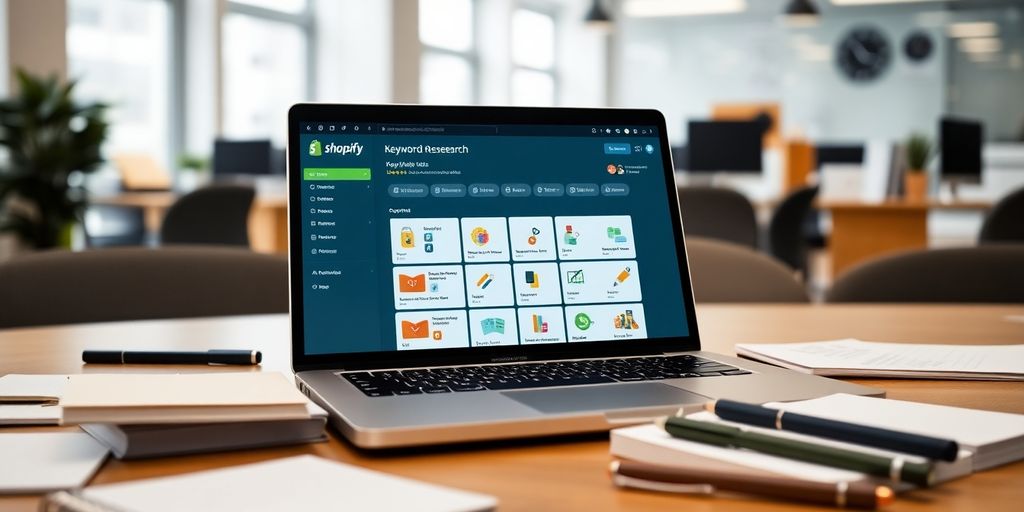
To start off, you need to figure out what keywords your potential customers are typing into Google. Imagine you’re selling handmade leather wallets. You’d want to focus on specific phrases like "handcrafted leather wallets" or "custom leather wallets." These are the words that will help your store pop up in search results when someone is looking for exactly what you offer. Finding the right product-specific keywords is like having a compass that guides your customers straight to your store.
Utilizing Long-Tail Keywords for Targeted Traffic
Long-tail keywords are longer, more detailed phrases. They might not be searched as often, but they attract visitors who are more likely to make a purchase. For instance, "best handmade leather wallets for men" might not have a massive search volume, but the people searching for it are probably ready to buy. Using these keywords in your product descriptions or blog posts can really help boost your sales.
Leveraging Keyword Research Tools
Keyword research tools are your best pals in this process. Tools like Google Keyword Planner, Ahrefs, or SEMrush provide insights into search volumes, keyword difficulty, and what your competitors are doing. They help you discover new keyword ideas and keep track of your performance, ensuring you stay competitive in the eCommerce world.
Keyword research is not just about finding popular terms; it’s about discovering words that connect with your audience and drive sales. With the right strategies, you’ll attract the right audience and stand out in the competitive world of eCommerce.
For more on how effective SEO strategies can boost your store’s visibility, especially if you have a physical location, check out this comprehensive approach.
On-Page SEO Strategies to Boost Your Shopify Store
Crafting Compelling Product Titles and Descriptions
Your product titles and descriptions are your first chance to grab a shopper’s attention. Make them count! Instead of just "Blue Shirt," go for something like "Men’s Blue Oxford Shirt—Casual & Comfortable." This not only sounds more appealing but also packs in some SEO magic. Don’t forget a catchy meta description, too. A short, engaging summary with a call to action can make all the difference.
Your product titles and descriptions are your first chance to grab a shopper’s attention. Make them count! Instead of just "Blue Shirt," go for something like "Men’s Blue Oxford Shirt—Casual & Comfortable." This not only sounds more appealing but also packs in some SEO magic. Don’t forget a catchy meta description, too. A short, engaging summary with a call to action can make all the difference.
Implementing Internal Linking Strategies
Internal links are like a roadmap for your site, guiding visitors from one product to another. They’re also a sneaky way to boost your SEO. Link related products together or connect to a blog post that gives more info. For example, if you’re selling shoes, link them to a shoe care guide. Use keyword-rich anchor text for these links to give your Shopify store that extra SEO boost.
Optimizing Product Images with Alt Tags
Images aren’t just for show—they’re crucial for SEO, too! Make sure every image has a descriptive file name like "mens-blue-oxford-shirt.jpg" and includes relevant alt tags. These tags help search engines understand what the image is about, boosting your chances in image searches. Plus, keep those file sizes small to ensure your pages load quickly, making both users and search engines happy.
Technical SEO Essentials for Shopify Success
Ensuring Proper Indexing and Sitemaps
Before diving into the nitty-gritty of SEO, ensure that Google can actually find and understand your Shopify store. Think of a sitemap like a map for search engines. Shopify usually generates a sitemap for you, but it’s up to you to keep it updated. Submit this sitemap to Google Search Console. This helps search engines crawl your site more efficiently, improving your store’s visibility and ranking.
Addressing Crawl Issues Effectively
Crawl issues can seriously mess with your site’s ranking. Use tools like Google Search Console to spot and fix these problems. Common issues include broken links, server errors, or pages blocked by robots.txt. Make sure your key pages are accessible to search engines. Fixing these issues not only boosts your Shopify SEO but also keeps your site running smoothly.
Incorporating Schema Markup for Products
Schema markup acts like a cheat sheet for search engines about your products. It helps them understand and show info like reviews, prices, and availability right in the search results. Adding schema markup can boost your click-through rates and bring more traffic to your store. It’s a small step with big potential payoffs for your Shopify SEO strategy.
Keeping your technical SEO in check is just as important as having great products. It sets the foundation for everything else you do in SEO, making sure your efforts actually pay off.
For more strategies, check out our effective SEO on Shopify guide.
Off-Page SEO Techniques to Enhance Shopify Visibility
Building High-Quality Backlinks
Backlinks are like little nods of approval from other sites. They tell search engines that your content is worth trusting. The more quality backlinks you have, the more authority your Shopify store gains. But remember, not all backlinks are created equal. Aim for links from reputable and relevant sources to make the most impact. Think of backlinks as online votes of confidence.
Engaging in Guest Blogging and Influencer Partnerships
Guest blogging and teaming up with influencers can open doors to new audiences. When you write a guest post for a popular blog or collaborate with an influencer, you not only gain exposure but also drive traffic back to your Shopify store. This strategy boosts your SEO by increasing your visibility and attracting potential customers.
- Guest Blogging: Offer to write valuable content for high-authority websites. Include a link back to your store in a natural way.
- Influencer Partnerships: Work with influencers to promote your products. Their audience can become your new customers.
- Content Marketing: Create shareable content that others want to link to, like how-to guides and industry insights.
Leveraging Social Media for SEO Benefits
Social media isn’t just for engagement; it’s a powerful tool for SEO too. By sharing your content on platforms like Facebook, Twitter, and Instagram, you increase your chances of earning backlinks. Plus, social signals can indirectly influence your search rankings. Social media is a great way to drive traffic to your store and keep your audience engaged.
Off-page SEO is essential for brand growth and audience engagement. Learn more about actionable off-site strategies that can enhance your online presence.
Monitoring and Analyzing SEO Performance on Shopify
Keeping tabs on how your Shopify store is performing in terms of SEO is like having a roadmap for success. It’s not just about getting your site to rank higher; it’s about understanding what works, what doesn’t, and why. Let’s dive into how you can monitor and analyze your SEO efforts effectively.
Utilizing Google Analytics for Insights
Google Analytics is your go-to tool for understanding how your Shopify store is doing. It’s essential for tracking organic traffic, which is basically the visitors who find your store through search engines. Pay attention to the bounce rate too. If folks are leaving your site quickly, it might be due to slow loading times or irrelevant keywords. Regularly checking these metrics helps you stay on top of your game.
Exploring Shopify’s Built-in SEO Tools
Shopify offers some pretty nifty built-in tools that simplify monitoring your product SEO. With its dashboard, you can see where your traffic is coming from and which products are performing well. These insights are crucial for figuring out which items are getting the love and which ones need a little boost.
Key Metrics to Track for Success
When it comes to measuring success, focus on these core metrics:
- Organic Traffic: Are your products showing up in search results?
- Bounce Rate: Are visitors sticking around or bailing fast?
- Conversion Rate: Is that traffic turning into sales?
Maintaining a close watch on these metrics helps you identify trends and make informed decisions about your SEO strategies. Don’t just set it and forget it—regularly check in and tweak things as needed to keep your store performing at its best.
If you’re serious about monitoring SEO performance, make sure you’re covering all your bases with thorough keyword research and optimizing on-page elements like title tags and meta descriptions. It’s not just about getting to the top of the search results, but about creating a better shopping experience for your customers.
Shopify SEO Tools and Apps: Streamlining Your Optimization Efforts

When it comes to boosting your Shopify store’s visibility, the right tools can make all the difference. Shopify SEO tools and apps can streamline your optimization efforts, making it easier to handle the complex world of SEO without breaking a sweat.
Top Shopify SEO Apps
Let’s dive into some of the top apps that can help you enhance your store’s SEO performance:
- Smart SEO: This app cuts down on the time you spend optimizing your site. It automatically generates meta tags and alt tags, providing structured data to search engines without manual input.
- Booster SEO & Image Optimizer: Images are crucial for your store, but they can slow things down. This app optimizes images to keep your site speedy and efficient, improving your visibility on Google image search.
- Yoast: Known for its powerful SEO features, Yoast checks your pages and posts for SEO strength, giving you recommendations for improvement. It’s always up-to-date with Google’s algorithm changes.
- Plugin SEO: This tool automatically checks your shop’s SEO health, alerting you to any issues. It’s multilingual and constantly updated, ensuring your store remains optimized as search engines evolve.
- SEMrush: A comprehensive tool that offers insights into your SEO performance, helping you refine your strategies and stay ahead of the competition.
Using these apps can significantly improve your store’s SEO performance, not just on Google but across other search engines as well. By automating many of the tedious SEO tasks, you can focus on creating quality content and engaging with your customers.
Automating SEO Tasks with Tools
Automation is a game-changer in SEO, saving you time and effort. Here are some tasks you can automate using Shopify apps:
- Meta tag generation: Tools like Smart SEO handle this automatically, ensuring your pages are always optimized.
- Image optimization: Booster SEO & Image Optimizer takes care of this, so your site remains fast and user-friendly.
- SEO health checks: Plugin SEO provides regular updates, alerting you to any potential problems.
Enhancing Store Performance with Apps
Beyond SEO, these apps can also help enhance your store’s overall performance:
- Speed improvements: By optimizing images and code, these tools can make your site faster, improving user experience and search rankings.
- Mobile optimization: With more shoppers using mobile devices, ensuring your site is mobile-friendly is crucial.
- Structured data: Providing search engines with structured data can improve your visibility in search results.
By integrating these tools into your Shopify store, you’ll not only improve your SEO but also enhance the overall shopping experience for your customers. Remember, effective mobile optimization enhances user experience and can significantly boost your search engine rankings.
Conclusion
Alright, so we’ve covered a lot about getting your Shopify store to shine on Google. It’s not rocket science, but it does take some effort and patience. Keep your site organized, make sure it loads fast, and don’t forget about those keywords. SEO isn’t a one-and-done deal; it’s more like a marathon. You’ll need to keep tweaking things and trying out new strategies. Stay on top of the latest trends, and don’t be afraid to make changes when something’s not working. With some persistence, you’ll see your store climb the ranks and bring in more customers. So, keep at it, and good luck with your SEO journey!
Frequently Asked Questions
What is Shopify SEO?
Shopify SEO is the way to make your online store show up higher in Google searches. This helps more people find your store when they look for products like yours.
Why does site structure matter for SEO?
A good site structure helps both people and search engines find their way around your store. It makes things easy to navigate and helps search engines understand what your store is about.
How can I make my Shopify store faster?
You can speed up your Shopify store by compressing images, using faster themes, and reducing big scripts. A faster store keeps visitors happy and helps with SEO.
What are long-tail keywords and why use them?
Long-tail keywords are specific phrases that people search for. They help bring more targeted visitors to your store who are ready to buy.
How do backlinks help my Shopify store?
Backlinks from other websites tell search engines that your store is trustworthy and important. This can help your store rank higher in search results.
What tools can I use to track my SEO performance on Shopify?
You can use tools like Google Analytics and Shopify’s built-in SEO tools to see how well your store is doing in search results.